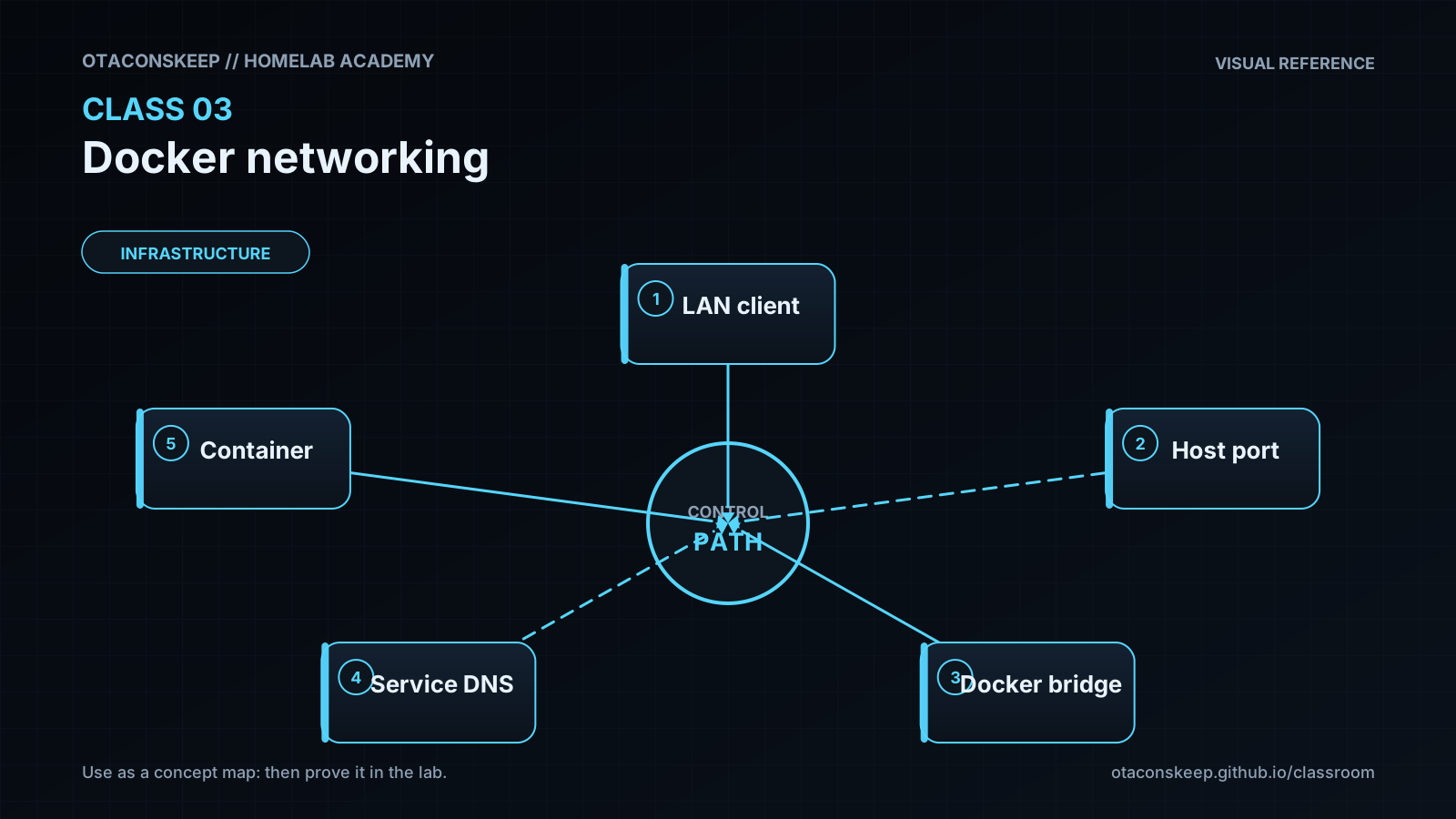
Overview
Module: Module 1: Infrastructure & Addressing
Activity type: Lab (Practice)
Objective: Given two Compose services, the learner can place them on an isolated user-defined network, call one service by DNS name from the other, and explain host-port publish versus container-to-container traffic.
Before you start
- Reading complete
- Lesson Feynman teach-back drafted (you may refine after the lab)
Guided lab
Where to run: Docker host from Class 2 (Linux VM preferred).
Setup: two containers on one user-defined bridge
Create the network lab project.
mkdir $HOME\network-lab -Force
cd $HOME\network-lab
@'
name: network-lab
services:
  responder:
    image: nginx:stable
    networks: [media_net]
  tester:
    image: curlimages/curl:latest
    command: ["sleep", "infinity"]
    networks: [media_net]
networks:
  media_net:
    name: media_net
'@ | Set-Content -Encoding utf8 compose.yaml
docker compose config
docker compose up -d
docker compose ps
mkdir -p ~/network-lab && cd ~/network-lab
cat > compose.yaml <<'YAML'
name: network-lab
services:
  responder:
    image: nginx:stable
    networks: [media_net]
  tester:
    image: curlimages/curl:latest
    command: ["sleep", "infinity"]
    networks: [media_net]
networks:
  media_net:
    name: media_net
YAML
docker compose config
docker compose up -d
docker compose ps
Prove DNS + HTTP by service name (no published host port required).
docker compose exec tester getent hosts responder
docker compose exec tester curl -sI http://responder:80
docker network inspect media_net --format "{{json .Containers}}"
docker compose exec tester getent hosts responder
docker compose exec tester curl -sI http://responder:80
docker network inspect media_net
docker network inspect media_net -f '{{range .Containers}}{{.Name}} {{.IPv4Address}}{{"\n"}}{{end}}'
Expected: responder resolves and HTTP/1.1 200 (or similar) returns even though nothing is published to the LAN yet.
Show why localhost inside tester is wrong for reaching responder.
docker compose exec tester curl -sI http://localhost:80
# Expect failure: localhost is the tester container itself, not responder.
docker compose exec tester curl -sI --max-time 3 http://127.0.0.1:80 || echo "EXPECTED_FAIL localhost"
Publish a host port and compare internal vs external access.
Edit responder to add:
    ports:
      - "8081:80"
Then recreate and test:
docker compose up -d
curl.exe -sI http://127.0.0.1:8081/
docker compose exec tester curl -sI http://responder:80
docker compose up -d
curl -sI http://127.0.0.1:8081/
# From another LAN machine (replace DOCKER-HOST):
# curl -sI http://DOCKER-HOST:8081/
docker compose exec tester curl -sI http://responder:80
Record in the workbook: internal http://responder:80 vs external http://DOCKER-HOST:8081.
Apply the model to media services
Later ARR wiring uses names like:
Sonarr -> http://prowlarr:9696
Sonarr -> http://qbittorrent:8080
Radarr -> http://sabnzbd:8080
Exact ports go in templates/service_contract.csv, do not guess.
Break / fix
Break/fix
- Disconnect tester from the network, watch DNS fail, reconnect.
docker compose ps
docker network disconnect media_net $(docker compose ps -q tester)
docker compose exec tester getent hosts responder
docker network connect media_net $(docker compose ps -q tester)
docker compose exec tester getent hosts responder
docker compose exec tester curl -sI http://responder:80
T=$(docker compose ps -q tester)
docker network disconnect media_net "$T"
docker compose exec tester getent hosts responder || echo EXPECTED_FAIL
docker network connect media_net "$T"
docker compose exec tester getent hosts responder
docker compose exec tester curl -sI http://responder:80
-
Replace
responderwithlocalhostin curl (already done above), explain the failure in the workbook. -
Bind only to loopback and compare LAN access. Change ports to
"127.0.0.1:8081:80", recreate, prove host-local works and another LAN device fails.
Troubleshooting order:
running container -> shared network -> DNS name -> destination port -> listener -> application auth -> firewall/routing
Feedback / common mistakes
- Using host LAN IPs for all internal calls and creating unnecessary hairpin paths.
- Assuming
localhostrefers to the Docker host. - Adding
network_mode: hostas a universal fix. - Using MACVLAN before checking parent interface, switch port, Wi-Fi limitations, and host-to-container reachability.
- Publishing database or admin ports to every interface.
- Debugging authentication before proving TCP reachability.
Lab gate
All boxes must be true before the next class unlocks. If you fail: feedback → targeted review → new practice → reassess.
- [ ] Two containers communicate by service name.
- [ ] The student proves an unexposed service is unreachable from the LAN.
- [ ] Internal and external addresses are recorded separately.
- [ ] A deliberate network disconnect is diagnosed and repaired.
- [ ] No ARR/downloader admin interface is publicly exposed.
- [ ] Prior-knowledge check answered
- [ ] Feynman teach-back completed (Explain, Simplify, Example, Weak spot, Retry)
- [ ] Independent practice completed
- [ ] Retrieval check attempted (target ≥80% when scored)
- [ ] Evidence recorded in workbook / verification matrix