Overview
Module: Module 2: ARR Media Automation
Activity type: Lab (Practice)
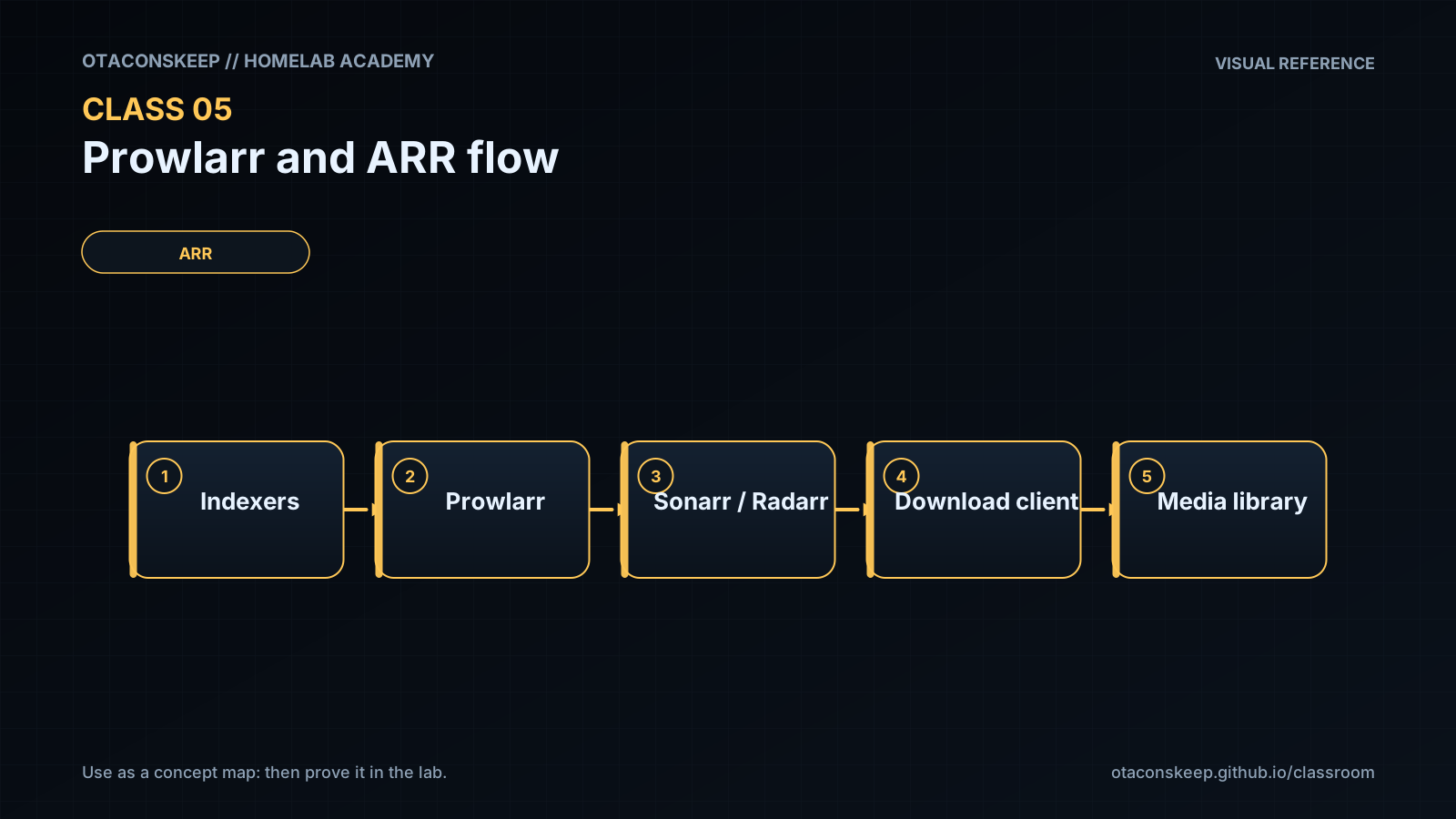
Objective: Given authorized indexer credentials and Compose networking, the learner can connect Prowlarr to Sonarr/Radarr, prove sync/tests, and trace a request through search → download client → import boundaries.
Before you start
- Reading complete
- Lesson Feynman teach-back drafted (you may refine after the lab)
Guided lab
Assumes: Sonarr, Radarr, and Prowlarr run on one Compose network (example name media_net) with service names sonarr, radarr, prowlarr. Adjust names to match your stack. Use only authorized indexers/content.
Replace COMPOSE_DIR with your stack directory. Never paste real API keys into the workbook or screenshots.
Back up ARR config databases before changing anything.
cd COMPOSE_DIR
docker compose ps
# Example paths: adjust to your bind mounts:
Copy-Item -Recurse .\prowlarr\config $HOME\backups\prowlarr-$(Get-Date -Format yyyyMMdd) -ErrorAction SilentlyContinue
Copy-Item -Recurse .\sonarr\config $HOME\backups\sonarr-$(Get-Date -Format yyyyMMdd) -ErrorAction SilentlyContinue
Copy-Item -Recurse .\radarr\config $HOME\backups\radarr-$(Get-Date -Format yyyyMMdd) -ErrorAction SilentlyContinue
cd COMPOSE_DIR
docker compose ps
mkdir -p ~/backups/arr-$(date +%Y%m%d)
# Adjust paths to your bind mounts:
cp -a ./prowlarr/config ~/backups/arr-$(date +%Y%m%d)/prowlarr 2>/dev/null || true
cp -a ./sonarr/config ~/backups/arr-$(date +%Y%m%d)/sonarr 2>/dev/null || true
cp -a ./radarr/config ~/backups/arr-$(date +%Y%m%d)/radarr 2>/dev/null || true
ls -la ~/backups/arr-$(date +%Y%m%d)
Confirm shared Docker network membership.
docker network ls
docker network inspect media_net
docker compose ps
docker network ls
docker network inspect media_net -f '{{range .Containers}}{{.Name}} {{.IPv4Address}}{{"\n"}}{{end}}'
docker compose ps
All three apps should appear on the same user-defined network.
From inside Prowlarr, resolve and reach Sonarr/Radarr by service name.
docker compose exec prowlarr getent hosts sonarr
docker compose exec prowlarr getent hosts radarr
docker compose exec prowlarr wget -qO- http://sonarr:8989/ping
docker compose exec prowlarr wget -qO- http://radarr:7878/ping
If the image lacks wget/getent, use:
docker compose exec prowlarr sh -c "command -v curl; command -v wget; ls /"
docker compose exec prowlarr getent hosts sonarr
docker compose exec prowlarr getent hosts radarr
docker compose exec -u 0 prowlarr sh -c 'wget -qO- http://sonarr:8989/ping || curl -sf http://sonarr:8989/ping'
docker compose exec -u 0 prowlarr sh -c 'wget -qO- http://radarr:7878/ping || curl -sf http://radarr:7878/ping'
Copy API keys privately (UI → Settings → General).
Store them in a password manager, not git, not Discord, not the workbook.
Add Sonarr and Radarr as Applications in Prowlarr (UI) and run connection tests.
Use URLs like http://sonarr:8989 and http://radarr:7878 (service DNS), sync categories as required, click Test. Do not use localhost for cross-container calls.
Optional API ping from the host (replace KEY; redact output before sharing):
curl.exe -s "http://127.0.0.1:9696/api/v1/system/status?apikey=YOUR_PROWLARR_KEY"
curl.exe -s "http://127.0.0.1:8989/api/v3/system/status?apikey=YOUR_SONARR_KEY"
curl -s "http://127.0.0.1:9696/api/v1/system/status?apikey=YOUR_PROWLARR_KEY" | head -c 200; echo
curl -s "http://127.0.0.1:8989/api/v3/system/status?apikey=YOUR_SONARR_KEY" | head -c 200; echo
Add one authorized test indexer in Prowlarr → Test → Sync to apps.
In Sonarr/Radarr → Settings → Indexers, confirm the synced entry and categories.
Configure a download client with distinct test categories (example: tv-sonarr, movies-radarr). Run each app’s download-client Test.
Controlled interactive search.
In Sonarr or Radarr, interactive-search a monitored test title. Record why at least three candidates are accepted or rejected (quality, CF score, indexer, category), no need to download if policy forbids it.
Hardlink proof (Linux host) when a completed file exists in both download and library paths:
stat -c 'device=%d inode=%i path=%n' /data/torrents/example.mkv /data/media/tv/example.mkv
# Same device + inode => hardlink (not a full second copy)
Hardlinks across bind mounts are a Linux filesystem concern. Run the stat check inside the Linux VM/host that holds /data. On Windows-only Docker Desktop this class’s hardlink gate may be deferred until Path B storage is Linux.
Break / fix
Break/fix exercises
Wrong hostname
In Prowlarr, set Sonarr URL to http://localhost:8989, Test (expect fail). Explain container localhost. Restore http://sonarr:8989 and retest.
# From prowlarr container, localhost is prowlarr: not sonarr:
docker compose exec prowlarr sh -c 'wget -qO- http://127.0.0.1:8989/ping || echo EXPECTED_FAIL'
docker compose exec prowlarr sh -c 'wget -qO- http://sonarr:8989/ping || curl -sf http://sonarr:8989/ping'
Wrong category
Mismatch download category vs Sonarr category; observe import confusion; restore matching categories; retest client.
Wrong path vocabulary
Point client completed path at /downloads while Sonarr expects /data/.... Read logs for path errors; restore shared /data model or document remote path mapping deliberately.
Feedback / common mistakes
| Symptom | First checks |
|---|---|
| Application test fails | DNS name, port, API URL, API key |
| Indexer test fails | DNS/TLS, provider status, credentials, rate limit |
| Search returns nothing | Categories, capabilities, title/ID mapping, policy filters |
| Job reaches client but never imports | Category, completed status, reported path, permissions |
| Import copies instead of hardlinks | Filesystem device, mappings, hardlink setting, permissions |
| Media server misses item | Final path, naming, library root, scan status |
Lab gate
All boxes must be true before the next class unlocks. If you fail: feedback → targeted review → new practice → reassess.
- [ ] Prowlarr tests successfully against Sonarr and Radarr.
- [ ] An authorized indexer test passes.
- [ ] Application sync creates the expected definitions.
- [ ] Download-client tests pass with documented categories.
- [ ] One candidate's accept/reject reason is explained.
- [ ] Path mappings and permissions are documented.
- [ ] No API key appears in submitted evidence.
- [ ] Prior-knowledge check answered
- [ ] Feynman teach-back completed (Explain, Simplify, Example, Weak spot, Retry)
- [ ] Independent practice completed
- [ ] Retrieval check attempted (target ≥80% when scored)
- [ ] Evidence recorded in workbook / verification matrix