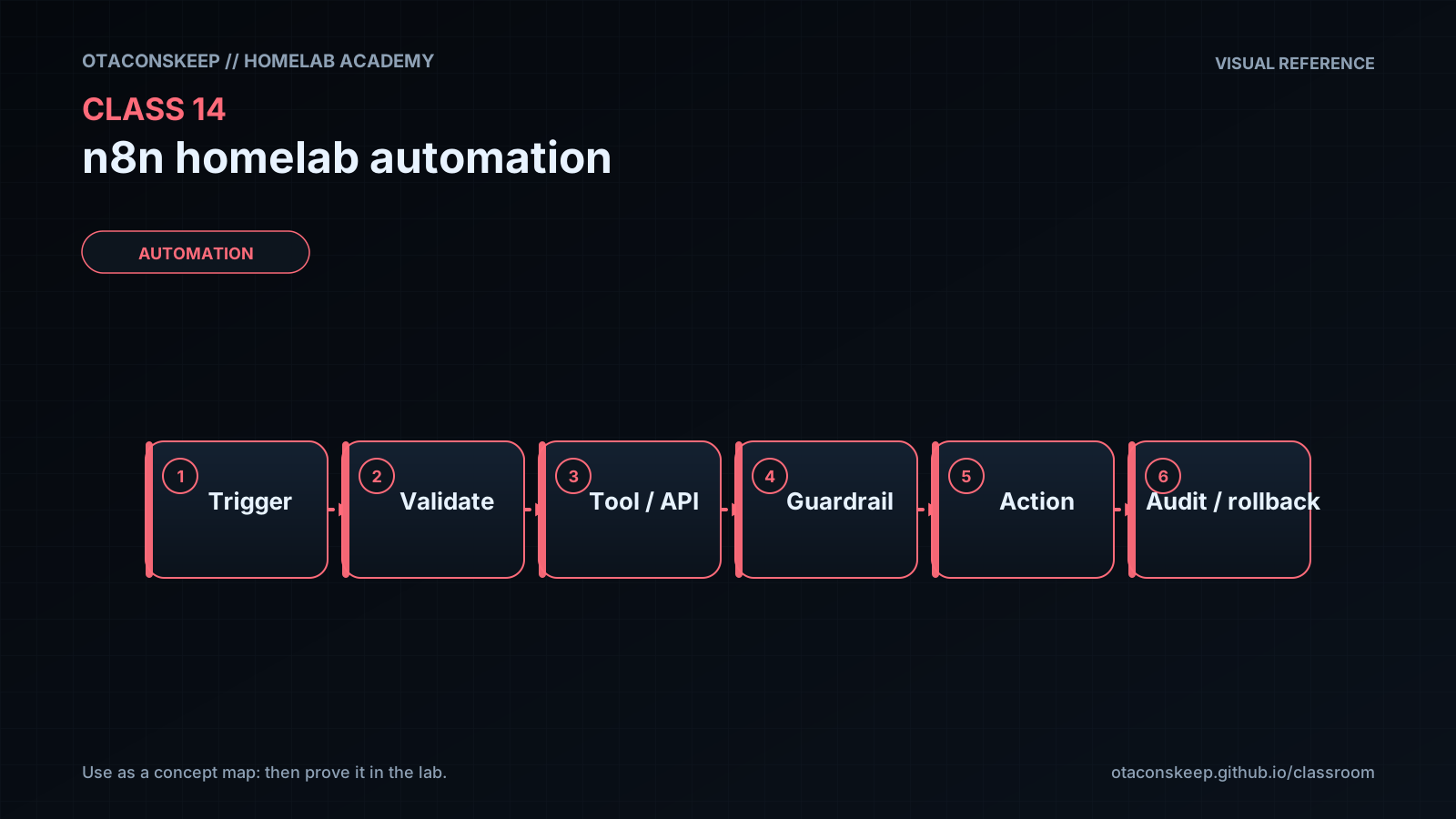
Overview
Module: Module 5: Workflow Automation (n8n)
Topic: 01: n8n homelab automation
Activity type: Reading / reference (Learn)
Bloom focus: Apply / Evaluate
Links to outcome: Given a lab-only Docker network, the learner can run n8n, build an RSS digest workflow explaining item cardinality, and require human approval before any mutating Keep Agent / SSH action.
Why this matters
Automation without approval gates turns small mistakes into fast, wide damage: especially when agents can run commands.
Vocabulary
| Term | Meaning |
|---|---|
| Workflow | One automation graph: triggers + nodes + connections |
| Trigger | What starts a run (manual, schedule, webhook, chat) |
| Node | One step that reads/transforms/sends data or calls a tool |
| Item | One JSON object flowing through the graph (often many items in parallel) |
| Credential | Stored secret/connection (API key, webhook URL, SSH login) |
| Expression | Small template that pulls fields from JSON ({{ $json.title }}) |
| Pin data | Freeze test output on a node so later steps can reuse it without re-calling APIs |
| Sub-workflow | A workflow called as a tool by an AI agent |
| Structured output | Force the model to return predictable JSON fields for branching |
| Human-in-the-loop | Pause for approve/deny before risky actions |
| AI CLI | Terminal AI tool (Claude Code, Gemini CLI, Codex, …) run headless from scripts/SSH |
| Headless / print mode | Non-interactive one-shot prompt (-p / equivalent), no TTY chat UI |
| Session ID | Stable ID so a later command can resume the same AI conversation |
| Orchestrator pattern | n8n triggers/routes/notifies; the AI CLI owns deep context, skills, and multi-step tools |
Core reading
Originally: What you will learn
You will install n8n on your lab host, learn how workflows move items of JSON between nodes, build a safe first automation (RSS → filter → notify), and then build a small AI agent that can observe your lab, and only change things after a human approval step. You will also learn a second pattern: use n8n as an orchestrator that SSHes into a Linux box and runs a headless AI CLI (Claude Code, Gemini CLI, or similar) so the heavy context and skills stay on the terminal tool while n8n handles triggers, chat front-ends, and session IDs. You will treat credentials, SSH, and command execution as high-risk tools with explicit guardrails.
Safety boundary
n8n can talk to email, chat, SSH, APIs, and shells. That power cuts both ways.
- Prefer read-only checks first (HTTP GET,
docker ps, status APIs). - Never paste production API keys into the workbook or public Discord.
- Do not give an agent unrestricted root SSH on day one.
- Any command that creates, deletes, stops, or rewrites systems must go through approval.
- Keep n8n’s admin UI on LAN/VPN only (Class 10 patterns), not open to the world.
- AI CLI “dangerous” / YOLO flags that skip confirmations are lab-only and still need your approval gate in n8n before mutate.
- Put the AI CLI on a jump host you control; do not SSH as root into every production box from n8n on day one.
What n8n is
n8n is an open-source workflow automation platform you can self-host. Visually, you connect nodes. Under the hood, each node receives JSON items, does work, and passes items forward. One RSS node that returns 13 articles hands 13 items to the next node, so a “send message” node may fire 13 times unless you limit, aggregate, or batch deliberately.
Compared with hosted “if this then that” SaaS tools, self-hosted n8n keeps credentials and execution inside your boundary, when you install it that way.
Trigger → (optional) fetch/transform → action / notify / agent tools
                ↑
         credentials + JSON items
Where it sits in this Academy
Proxmox / Docker host (Classes 1–4)
  → n8n container
      → Discord/Telegram (notify)
      → HTTP checks (HA, websites)
      → SSH / APIs (Proxmox, NAS)  [guarded]
Install n8n beside your stacks, not inside every ARR container. Give it a dedicated Compose project and volume for its database.
Core UI habits
- Save often.
- Execute step while building; use Pin on expensive/AI nodes so you do not re-spend tokens.
- Inspect the connector badges:
1 itemvsN itemsexplains “why Discord said hi thirteen times.” - Credentials live under a separate library, reuse them; do not hard-code secrets in node fields when a credential type exists.
Data shaping nodes you will reuse
| Node idea | Why it exists |
|---|---|
| Limit | Cap how many items continue |
| Filter / If / Switch | Branch on fields |
| Edit Fields (Set) | Keep only the columns you want |
| Split Out | Turn one array field into many items |
| Merge | Combine branches (use carefully with unequal item counts) |
| Code (optional) | Last resort, prefer built-ins first |
AI in n8n (two different powers)
- LLM chain / summarize: transform text (summarize an article).
- AI Agent + tools: model chooses tools (HTTP, workflow-as-tool SSH) based on a system prompt.
Agents need: a chat/LLM credential, a clear system message (who they are / what they may do), and tools with honest descriptions. For autonomous schedules, replace chat input with an Edit Fields prompt + stable session/chat id for memory.
Guarded autonomy pattern (Keep Agent)
Schedule → set prompt → Agent (observe tools only)
  → structured JSON { ok: bool, needs_approval: bool, commands: [], message }
  → If needs_approval → notify + wait for approve → re-enter agent with approval
  → If not ok and no approval path → alert only
  → Never auto-run destructive commands without approval
n8n + AI CLI over SSH (orchestrator pattern)
Sometimes the built-in n8n AI Agent is enough. Sometimes you already live in a terminal AI tool that has your repos, skills, and local files. You can combine them without inventing a custom HTTP wrapper:
Chat / Schedule / Webhook (n8n)
  → SSH node → Linux host
      → AI CLI headless command (claude / gemini / …)
          → stdout JSON/text back into n8n
  → Notify / If / loop with same session id
Why this is useful
- Context:
cdinto a project directory before the AI CLI runs so it sees real files, not an empty sandbox. - Subscription economics: token-heavy research can stay on a CLI plan you already pay for, while n8n handles timing and messaging.
- Skills / multi-step tools: complex “how to talk to UniFi / Proxmox” knowledge can live as markdown/skills next to the CLI; n8n stays a thin trigger.
- Sessions: generate a UUID once, pass
--session-id(or product equivalent), then later resume with-r/ resume flag so Slack/Discord can hold a real conversation.
Where to install the AI CLI
Anywhere Linux-capable you trust: the same VM as n8n, a Raspberry Pi, or a dedicated Ubuntu jump host beside the lab. Prefer “next to the files and APIs you want it to see,” not “on every router.”
SSH gotchas
n8n’s SSH session is often a non-login shell. If claude --version works in your interactive terminal but fails from n8n, fix PATH / login profile for that SSH user (workbook the exact error). Test with hostname first, then the AI CLI version flag.
Headless prompt shape (illustrative, check current CLI flags)
cd /path/to/project && claude -p "Summarize README.md in five bullets"
Resume:
claude -p "Continue: what should I fix first?" -r --session-id "$SESSION_UUID"
Exact flags differ by tool and version, verify against that tool’s current docs. The Academy skill is the pattern, not a frozen flag list.
Chat front-end loop (Slack/Discord/Telegram)
Inbound message → ensure session UUID exists → SSH AI CLI with -p + session
  → reply to chat
  → ask “done?” → If no → loop with -r same session → If yes → end
Keep the UUID in workflow static data or a database node so a phone conversation can span many messages.
Architecture shift
n8n  = scheduler, webhooks, human gates, notifications
AI CLI = deep context, skills, parallel sub-agents on the jump host
You can still call an in-n8n AI Agent that decides to invoke the SSH→CLI tool. Do not abandon Class 14 Path C guardrails when the CLI is powerful.
Worked example (study this)
I do: study the reasoning, not just the final answer.
Bad: Webhook → agent → shell mutate production with no approval.
Better: Digest/notify first; any mutate path requires explicit human approval; credentials stay out of git; explain JSON item cardinality before scaling.
n8n UI labels, AI node names, env vars, and AI CLI flags (-p, --session-id, resume switches) change across releases. Prefer current official n8n Docker docs and your chosen AI CLI reference for exact screens and flags. The durable skills are: item flow, credentials hygiene, least privilege, structured outputs, human approval before mutation, and treating n8n as orchestrator when a terminal AI tool owns deep context.
Next
- Open the Lesson for prior-knowledge check, guided practice, and required Feynman teach-back.
- Then complete Lab, Homework, and Quiz for this topic.