Overview
Module: Linux Foundations
Activity type: Reading (Learn)
Objective: Explain the relationship between applications, systemd units, systemd-journald, and journalctl.
Vocabulary
| Term | Meaning |
|---|---|
| journal | The structured event store managed by systemd-journald. |
| systemd-journald | The system service that receives, enriches, stores, and forwards journal records. |
| journalctl | The command-line tool used to query and display records from the systemd journal. |
| unit | A systemd-managed object, such as a service, socket, mount, timer, or target, that may be associated with journal records. |
| boot ID | A unique identifier assigned to one system boot, allowing journal records to be grouped by boot. |
| priority | The syslog severity associated with a record, ranging numerically from 0 for emergency through 7 for debug. |
| field match | A journal query that selects records whose structured metadata contains a particular field and value. |
| cursor | An opaque identifier that marks a specific location in the journal and can be used to resume reading. |
| volatile journal | Journal data kept under runtime storage and normally lost when the system reboots. |
| persistent journal | Journal data stored on persistent local storage so that records can remain available across boots. |
| vacuum | A journal maintenance operation that removes archived journal data according to a size, age, or file-count limit. |
Instruction
Linux troubleshooting depends on evidence, and the system journal is one of the most important evidence sources on a systemd-based host. systemd-journald receives records from several sources, including service standard output and standard error, native journal clients, kernel messages, and compatible logging interfaces. It stores more than a line of text: a record can also contain timestamps, process identifiers, user identifiers, executable paths, systemd unit names, boot identifiers, transport information, and priority. journalctl is the query tool for this structured data.
Running journalctl without filters may produce far more information than needed. A good investigation narrows scope deliberately. Start with the relevant boot by using -b. Restrict the source with -u followed by a unit name. Restrict time with --since and --until. Restrict severity with -p. For example, -p warning includes warning and all more severe priorities, not only records labeled warning. The standard numeric priority order is 0 emergency, 1 alert, 2 critical, 3 error, 4 warning, 5 notice, 6 informational, and 7 debug. Lower numbers represent greater severity.
Time context matters. A failure seen today may belong to the current boot, while a startup failure from yesterday may be stored under an earlier boot. journalctl --list-boots shows known boots when the required data exists. The current boot can be selected with -b 0 or simply -b. Previous boots can commonly be addressed with negative offsets such as -b -1, but previous records will not be available if the host only keeps a volatile journal or if retention has removed them.
Output format should match the task. Human-readable formats such as short-iso make chronological review convenient. Verbose output exposes all fields associated with each selected record. JSON output is useful for scripts because each record is represented as structured data rather than an ambiguous display line. Exported records can contain hostnames, usernames, process arguments, internal addresses, authentication events, application data, or secrets accidentally written by software. Treat exported files as sensitive evidence and use restrictive permissions.
The journal is not automatically proof of root cause. A warning near a failure may be unrelated, an application may omit useful details, and clocks can be inaccurate. Correlate timestamps, units, process identifiers, boot IDs, and surrounding events. Begin with a narrow hypothesis, broaden the time window if necessary, and record the exact query used. Avoid jumping directly to destructive maintenance operations. Reading, filtering, and exporting evidence should come before retention changes or journal cleanup.
Access differs among distributions. An unprivileged user may see only records associated with that user, while administrative access may expose the system journal. An empty result can therefore mean that no records matched, that old records were not retained, or that the current account cannot read them. Distinguish these possibilities before concluding that a service produced no logs.
Architecture
flow
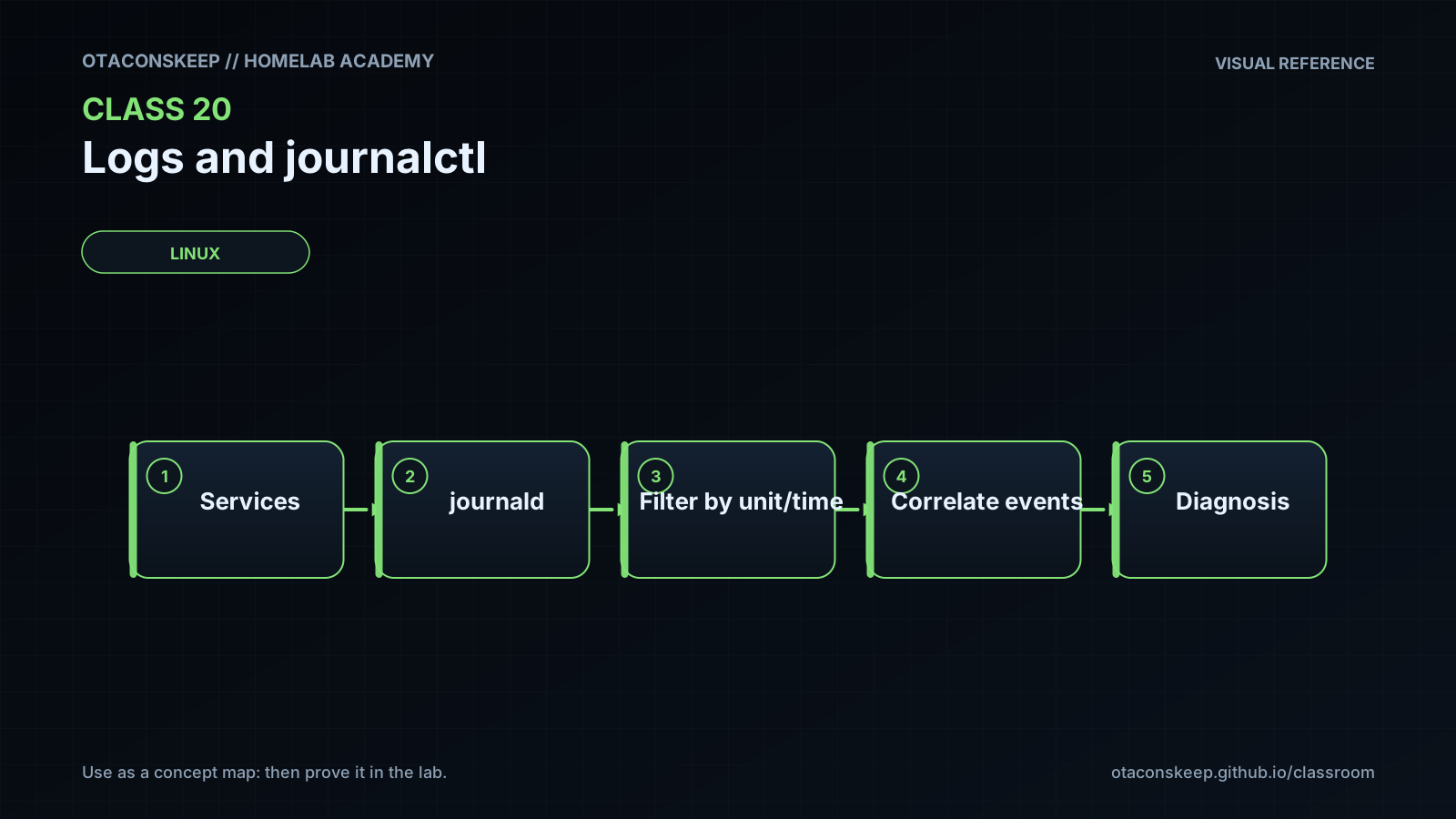
The kernel, services, applications, and compatible logging interfaces emit events.
systemd-journald receives events and adds structured metadata.
Journal records are stored in volatile or persistent storage according to host configuration.
journalctl reads journal files and applies boot, unit, time, priority, and field filters.
Administrators inspect terminal output or export selected records into protected evidence files.
key_components
component
Event producers
role
Kernel and user-space processes that emit messages.
component
systemd-journald
role
Collects records, attaches metadata, manages storage, and may forward events.
component
Journal storage
role
Maintains indexed binary journal records subject to access and retention policy.
component
journalctl
role
Queries records and renders them in human-readable or machine-readable formats.
component
Lab evidence directory
role
Stores only the learner's exported, read-only observations under /opt/lab-classroom/class20/.
query_model
A useful query combines a time or boot boundary with one or more source and severity selectors. The result should then be inspected in a format appropriate to either human review or machine processing.
Required reading
- Read the local journalctl manual with: man journalctl
- Read the local systemd-journald manual with: man systemd-journald
- Read the local journald configuration manual with: man journald.conf
- Review the local systemd journal fields reference with: man systemd.journal-fields
References
- journalctl(1), local system manual page
- systemd-journald.service(8), local system manual page
- journald.conf(5), local system manual page
- systemd.journal-fields(7), local system manual page
- systemd journalctl documentation: https://www.freedesktop.org/software/systemd/man/latest/journalctl.html
- systemd-journald documentation: https://www.freedesktop.org/software/systemd/man/latest/systemd-journald.service.html
- Journal field documentation: https://www.freedesktop.org/software/systemd/man/latest/systemd.journal-fields.html