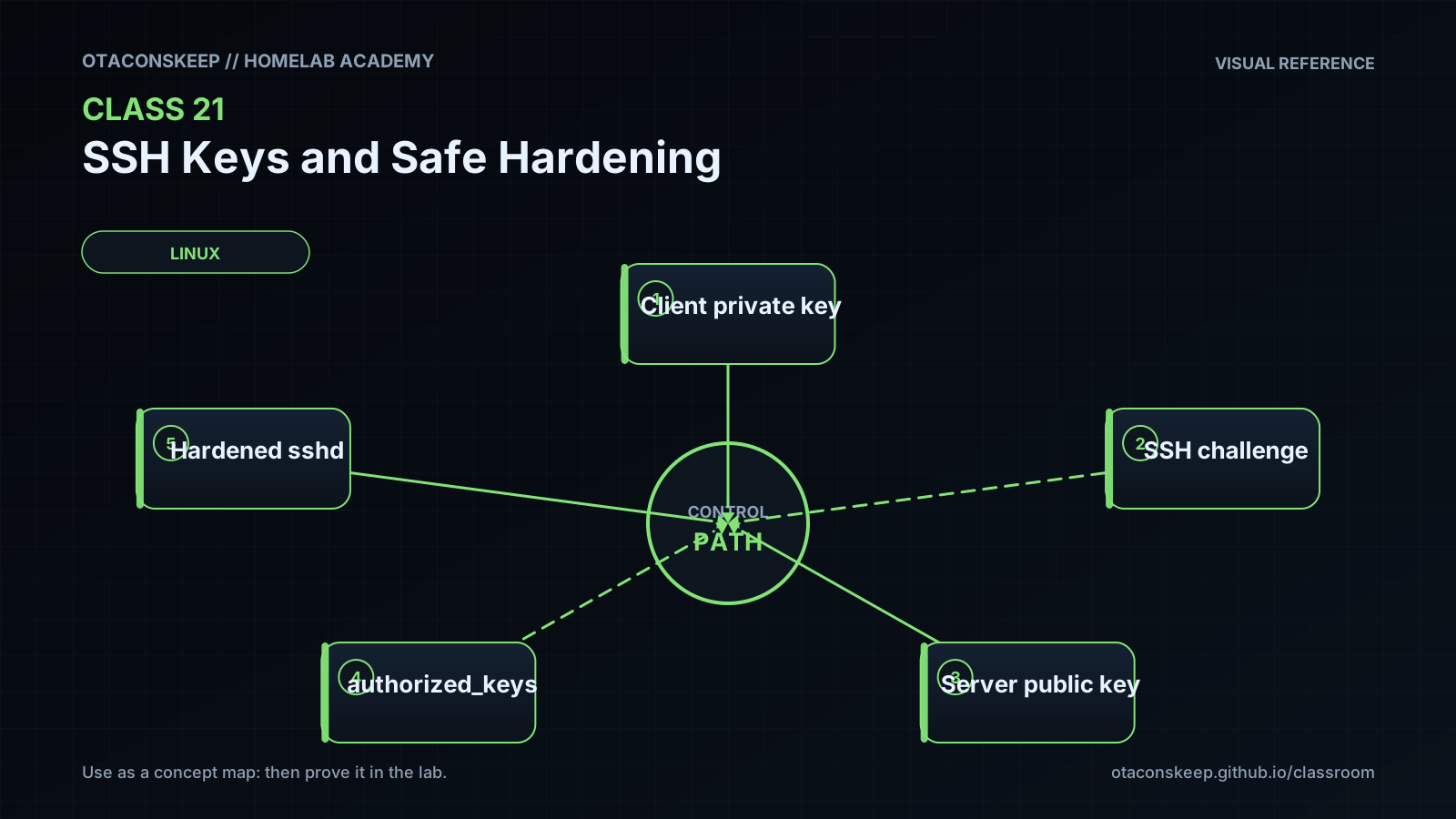
Overview
Module: Linux Foundations
Activity type: Lab (Practice)
Lab risk: low
Objective: Explain the different roles of an SSH private key and public key.
Before you start
- Comfort using a Linux shell and reading command output.
- Permission to create files under /opt/lab-classroom/class21/.
- The OpenSSH client tools, including ssh-keygen, must already be installed.
- Basic understanding of users, file ownership, and Unix permission modes.
- Awareness that this class creates a passphrase-protected training key that must never be reused as a production identity.
Guided lab
step
1
title
Create the isolated workspace
instructions
Create the class directory with restrictive access and assign it to the current user. Confirm the resolved path before continuing.
commands
sudo install -d -m 0700 -o "$USER" -g "$(id -gn)" /opt/lab-classroom/class21
realpath /opt/lab-classroom/class21
stat -c '%A %a %U:%G %n' /opt/lab-classroom/class21
step
2
title
Generate a passphrase-protected training key
instructions
Set a restrictive creation mask and generate an Ed25519 key. Enter a unique training passphrase when prompted. Do not reuse this key or passphrase in production.
commands
umask 077; ssh-keygen -t ed25519 -a 64 -f /opt/lab-classroom/class21/class21_ed25519 -C "class21-training-key"
step
3
title
Inspect permissions, type, and fingerprint
instructions
Confirm that the private key is not accessible to group or other users. Then inspect the public-key fingerprint and encoded key type.
commands
stat -c '%A %a %U:%G %n' /opt/lab-classroom/class21/class21_ed25519 /opt/lab-classroom/class21/class21_ed25519.pub
ssh-keygen -lf /opt/lab-classroom/class21/class21_ed25519.pub
awk '{print "key_type=" $1; print "comment=" $3}' /opt/lab-classroom/class21/class21_ed25519.pub
step
4
title
Prove that the public key matches the private key
instructions
Derive a public key from the private key, save it inside the lab directory, and compare it with the generated public key. The derivation command will request the key passphrase.
commands
umask 077; ssh-keygen -y -f /opt/lab-classroom/class21/class21_ed25519 > /opt/lab-classroom/class21/derived.pub
awk '{print $1, $2}' /opt/lab-classroom/class21/class21_ed25519.pub > /opt/lab-classroom/class21/original-core.pub
awk '{print $1, $2}' /opt/lab-classroom/class21/derived.pub > /opt/lab-classroom/class21/derived-core.pub
cmp /opt/lab-classroom/class21/original-core.pub /opt/lab-classroom/class21/derived-core.pub && printf '%s\n' 'MATCH: the public key belongs to the private key'
step
5
title
Create a restricted authorization fixture
instructions
Create a sandbox authorization entry. The documentation-only source network 192.0.2.0/24 intentionally prevents this fixture from being useful on a typical real network. The restrict option disables several optional SSH features unless they are explicitly re-enabled.
commands
printf 'from="192.0.2.0/24",restrict %s\n' "$(cat /opt/lab-classroom/class21/class21_ed25519.pub)" > /opt/lab-classroom/class21/authorized_keys
chmod 600 /opt/lab-classroom/class21/authorized_keys
cat /opt/lab-classroom/class21/authorized_keys
stat -c '%A %a %U:%G %n' /opt/lab-classroom/class21/authorized_keys
step
6
title
Build an inert daemon-hardening fixture
instructions
Create a policy example for review. This file is not installed, included by the operating system, or applied to a running service. The AllowUsers account is illustrative and must be replaced with a verified local administrative account during a separately approved production change.
commands
printf '%s\n' 'PubkeyAuthentication yes' 'PasswordAuthentication no' 'KbdInteractiveAuthentication no' 'PermitRootLogin no' 'AllowUsers labadmin' 'X11Forwarding no' 'AllowTcpForwarding no' > /opt/lab-classroom/class21/sshd_config
chmod 600 /opt/lab-classroom/class21/sshd_config
nl -ba /opt/lab-classroom/class21/sshd_config
step
7
title
Perform static policy checks
instructions
Check that the expected directives appear exactly once and that no line enables password authentication. These checks inspect the fixture; they do not prove that a particular operating system accepts every directive.
commands
grep -Ec '^PubkeyAuthentication yes$' /opt/lab-classroom/class21/sshd_config
grep -Ec '^PasswordAuthentication no$' /opt/lab-classroom/class21/sshd_config
grep -Ec '^KbdInteractiveAuthentication no$' /opt/lab-classroom/class21/sshd_config
grep -Ec '^PermitRootLogin no$' /opt/lab-classroom/class21/sshd_config
! grep -Eq '^PasswordAuthentication[[:space:]]+yes$' /opt/lab-classroom/class21/sshd_config
step
8
title
Optionally validate syntax without applying it
instructions
If an OpenSSH server binary is already installed, use its test mode against only the sandbox file. This reads daemon defaults and host-key information but does not reload the service. A failure may reflect missing host keys, an unavailable account, unsupported directives, or distribution-specific behavior; it must not be bypassed.
commands
if command -v sshd >/dev/null 2>&1; then sudo sshd -t -f /opt/lab-classroom/class21/sshd_config; elif [ -x /usr/sbin/sshd ]; then sudo /usr/sbin/sshd -t -f /opt/lab-classroom/class21/sshd_config; else printf '%s\n' 'SKIP: OpenSSH server binary is not installed'; fi
Expected results
- The workspace resolves to /opt/lab-classroom/class21 and has mode 700.
- The key-generation operation creates class21_ed25519 and class21_ed25519.pub only inside the lab workspace.
- The private key reports mode 600, while the public key may report mode 600 because it was created under a restrictive umask.
- The public key is identified as ED25519 and has a stable SHA256 fingerprint.
- The comparison prints MATCH: the public key belongs to the private key.
- The sandbox authorized_keys file begins with from="192.0.2.0/24",restrict and contains the generated public key.
- The policy fixture disables password authentication, keyboard-interactive authentication, direct root login, X11 forwarding, and TCP forwarding.
- Each static grep count prints 1, and the negative password-authentication check exits successfully.
- Optional daemon syntax validation either exits successfully, reports a diagnostic that requires investigation, or explicitly reports that the server binary is unavailable.
Verification
- [ ] Run test "$(realpath /opt/lab-classroom/class21)" = /opt/lab-classroom/class21 and confirm an exit status of zero.
- [ ] Run test "$(stat -c %a /opt/lab-classroom/class21)" = 700 and confirm an exit status of zero.
- [ ] Run test "$(stat -c %a /opt/lab-classroom/class21/class21_ed25519)" = 600 and confirm an exit status of zero.
- [ ] Run ssh-keygen -lf /opt/lab-classroom/class21/class21_ed25519.pub and confirm that the output identifies ED25519.
- [ ] Run cmp /opt/lab-classroom/class21/original-core.pub /opt/lab-classroom/class21/derived-core.pub and confirm an exit status of zero.
- [ ] Run grep -Eq '^from="192.0.2.0/24",restrict ssh-ed25519 ' /opt/lab-classroom/class21/authorized_keys and confirm an exit status of zero.
- [ ] Run test "$(stat -c %a /opt/lab-classroom/class21/authorized_keys)" = 600 and confirm an exit status of zero.
- [ ] Run grep -Eq '^PasswordAuthentication no$' /opt/lab-classroom/class21/sshd_config and confirm an exit status of zero.
- [ ] Run grep -Eq '^PermitRootLogin no$' /opt/lab-classroom/class21/sshd_config and confirm an exit status of zero.
- [ ] Run find /opt/lab-classroom/class21 -xdev -type f -printf '%m %p\n' and review every generated file before declaring the lab complete.
Break/fix
| Symptom | Likely cause | Fix |
|---|---|---|
| ssh-keygen is not found. | The OpenSSH client package is not installed or the executable is outside the current PATH. | Stop the lab and ask the platform administrator to install the distribution's OpenSSH client package through the approved software-management process. Do not download and execute an unreviewed installer. |
| The class directory cannot be created. | The current account lacks sudo authorization, /opt is read-only, or a parent filesystem policy blocks creation. | Verify authorization and mount policy with the system owner. Do not redirect the exercise to a production SSH directory. |
| The private-key permission is not 600. | The key was created with a permissive mask or its mode was changed afterward. | Run chmod 600 /opt/lab-classroom/class21/class21_ed25519, recheck with stat, and investigate any process that changed the mode. |
| ssh-keygen -y reports an incorrect passphrase. | The entered passphrase does not match the private key or the wrong private-key path was supplied. | Confirm the exact lab path and retry carefully. If the training passphrase is lost, delete only the individual training key files after confirming their paths and generate a new lab key. |
| The derived and original public keys do not match. | One file came from a different private key, the public-key body was modified, or the comparison included inconsistent comments. | Compare the two-field key type and encoded body as shown in the lab. Regenerate the training pair if provenance cannot be established. |
| The optional daemon test reports no host keys available. | The OpenSSH server package is incomplete, server host keys have not been provisioned, or the validator is applying system defaults. | Treat the result as a failed validation rather than ignoring it. Because the fixture is inert, continue with static review and escalate host-key provisioning to the server owner. |
| The optional daemon test reports an unsupported directive. | The installed OpenSSH version or vendor build uses different directives or lacks the feature. | Consult the manual installed on that host and adapt a copy of the sandbox fixture. Never apply a directive that the target daemon cannot validate. |
| A production SSH login fails after a separate hardening change. | The key was not authorized for the target account, account restrictions are wrong, the source restriction does not match, permissions are invalid, or all fallback methods were disabled too early. | Keep the original session open, inspect authentication logs from that session, restore the last known-good production policy through the approved console or change process, validate it, and only then retry. |
Security
key_protection
Never share or upload the private-key file.
Use a strong, unique passphrase and an approved agent with explicit lifetime or confirmation controls where available.
Use separate identities for unrelated environments and administrative roles.
Remove obsolete public keys promptly and inventory fingerprints rather than relying on comments.
Back up private keys only through an approved encrypted secret-storage process.
server_hardening_sequence
Confirm console or out-of-band recovery before changing remote access.
Create or verify a named non-root administrative account.
Install the intended public key with correct ownership and restrictive permissions.
Test a second independent session using that exact identity and IdentitiesOnly.
Review effective daemon configuration, includes, Match blocks, PAM behavior, and vendor defaults.
Validate syntax before activation.
Keep the existing session open during a controlled reload and test again before closing it.
Disable passwords and other fallback methods only after key-based access is proven.
Monitor authentication logs and document the recovery path.
cautions
The 192.0.2.0/24 source restriction is from a documentation-only network and is intentionally unsuitable for normal deployment.
The restrict option can disable forwarding, agent forwarding, X11 forwarding, PTY allocation, and user startup commands depending on OpenSSH behavior. Confirm application requirements before using it.
Disabling TCP forwarding can break jump-host workflows, remote development tools, and application tunnels.
Disabling PTY allocation on an administrative key can prevent interactive shell workflows.
Changing the SSH listening port does not replace authentication, authorization, patching, monitoring, or network controls.
A successful syntax test does not prove that an account, key, network path, or recovery mechanism works.
Rollback
lab_effect
The lab creates only an isolated directory, a training key pair, comparison files, an authorization fixture, and a daemon-policy fixture. It does not activate any SSH setting.
preserve_for_review
Before cleanup, record the public-key fingerprint and copy any required non-secret notes into the class record. Do not place the private key in reports or tickets.
cleanup_commands
test "$(realpath /opt/lab-classroom/class21)" = /opt/lab-classroom/class21
find /opt/lab-classroom/class21 -xdev -mindepth 1 -maxdepth 1 -type f -print
find /opt/lab-classroom/class21 -xdev -mindepth 1 -maxdepth 1 -type f -delete
cleanup_warning
Run the path test and review the printed file list before deletion. Cleanup permanently destroys the training private key and all class fixtures.
production_guidance
For a real service change, restore the previously validated configuration through the approved change mechanism, validate that restored configuration, perform a controlled reload, and verify access from a second session. Use console or out-of-band recovery if no working SSH session remains.