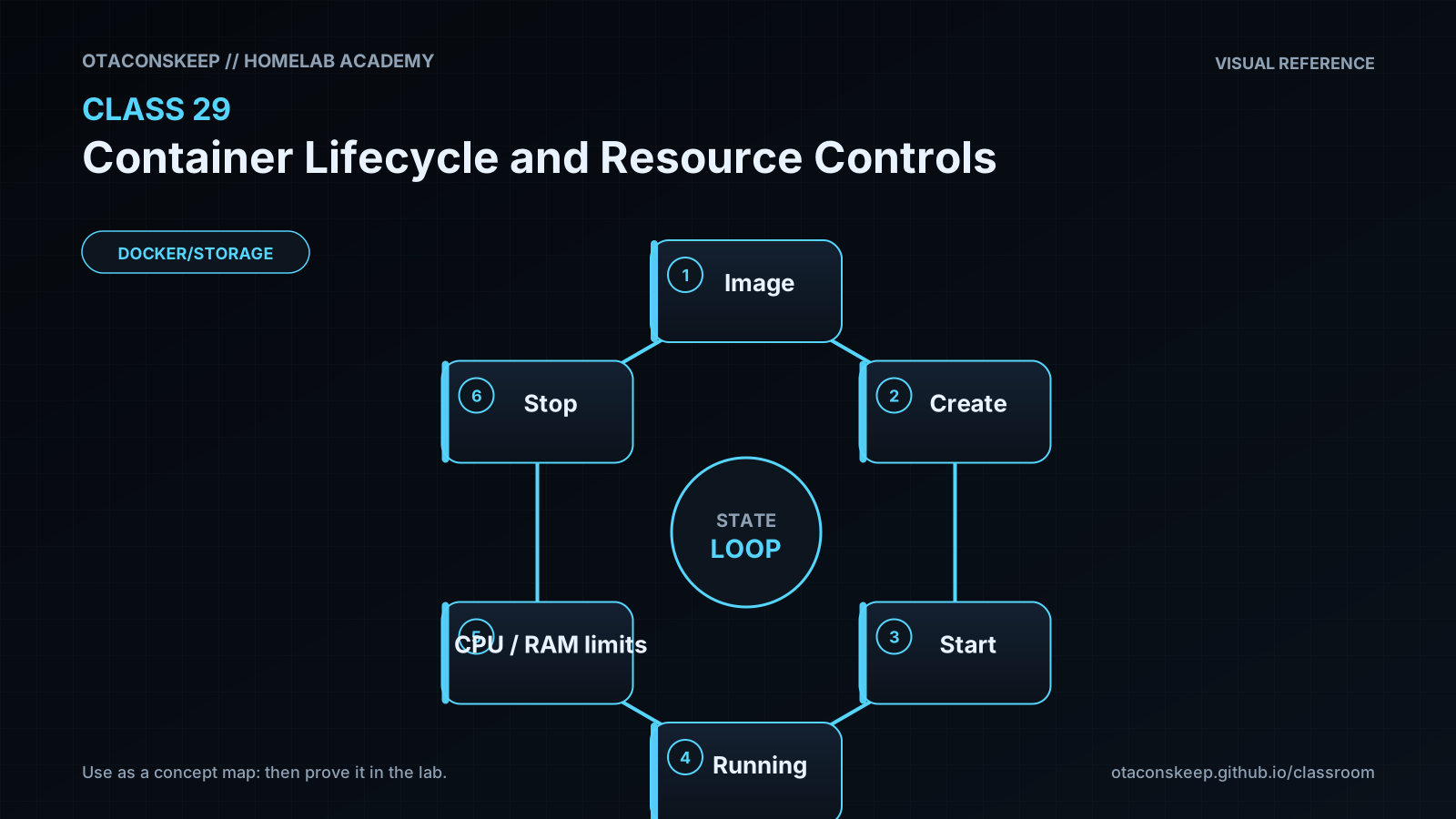
Overview
Module: Module 8: Docker, Storage & Permissions
Activity type: Lab (Practice)
Objective: Explain container states and signals; distinguish create, start, run, stop, kill, restart, pause, and remove; apply memory, CPU, PID, and restart controls; and verify the effective configuration instead of trusting the command line.
Practice
Guided practice
In plain words: We do: try with hints. Compare your reasoning to the lesson.
Observe a Bounded Lifecycle
In plain words: Do this carefully, then check that it worked before moving on. (Observe a Bounded Lifecycle)
Safety and prerequisites
- Authorized non-production Docker host with internet access only if
busybox:1.36.1is not cached. - Creates one image cache entry and containers labeled
academy.class=29. - The container has a 64 MiB memory cap and 64-process cap.
LAB=/opt/lab-classroom/class29
sudo install -d -o "$(id -u)" -g "$(id -g)" "$LAB"
docker pull busybox:1.36.1
docker create \
  --name academy-c29 \
  --label academy.class=29 \
  --memory 64m \
  --cpus 0.50 \
  --pids-limit 64 \
  --restart no \
  busybox:1.36.1 sh -c 'echo started; sleep 20; echo completed'
docker inspect academy-c29 --format 'state={{.State.Status}} memory={{.HostConfig.Memory}} nano_cpus={{.HostConfig.NanoCpus}} pids={{.HostConfig.PidsLimit}} restart={{.HostConfig.RestartPolicy.Name}}' | tee "$LAB/before-start.txt"
docker start academy-c29
docker stats --no-stream academy-c29 | tee "$LAB/stats.txt"
docker wait academy-c29 | tee "$LAB/exit-code.txt"
docker inspect academy-c29 --format 'state={{.State.Status}} exit={{.State.ExitCode}} oom={{.State.OOMKilled}}' | tee "$LAB/after-exit.txt"
In plain words: Big idea: - Authorized non-production Docker host with internet access only if this setting is not cached.
Verification checkpoints
grep -F 'memory=67108864' "$LAB/before-start.txt"
grep -F 'pids=64' "$LAB/before-start.txt"
grep -F 'state=exited exit=0 oom=false' "$LAB/after-exit.txt"
docker ps -a --filter label=academy.class=29 --format '{{.Names}} {{.Status}}'
Expected: created before start, running briefly, then exited with code 0; the inspected controls match the requested limits.
In plain words: Big idea: ``this setting``
Expected: created before start, running briefly, then exited with code 0; the inspected controls match the requested limits.
Learn
Security and Rollback
In plain words: Read this block, then try the next action. If you feel stuck, tap What this means.
- Resource limits reduce availability risk but do not replace least privilege.
- Avoid
--privileged, broad capabilities, host PID namespace, and Docker socket mounts. - Validate restart behavior so failures do not become invisible loops.
- Record limits in Compose/configuration as code.
In plain words: Big idea: - Resource limits reduce availability risk but do not replace least privilege.
Rollback:
In plain words: Big idea: Rollback:
```bash
docker rm -f academy-c29 2>/dev/null || true
docker ps -a --filter label=academy.class=29
```
The cached BusyBox image may be retained for later labs. Remove it only after checking that no other container uses it.
Fix chart
Troubleshooting
In plain words: This is your first-aid chart. Match the problem, then try the checks in order.
| Symptom | Likely cause | Safe response |
|---|---|---|
| Container exits immediately | Command completed or failed | Inspect exit code and logs before changing restart policy |
| Memory limit ignored or rejected | Host/cgroup capability difference | Inspect Docker info and cgroup mode; do not claim a limit is active without inspection |
| OOMKilled is true | Workload exceeded memory allowance | Preserve evidence, measure need, and review host reserve before increasing |
| Name already exists | Previous lab container remains | Inspect it; remove only academy-c29 if it belongs to this lab |
docker stats misses the run |
Container completed too quickly | Increase the disposable sleep duration and repeat after removing the old container |
In plain words: This is your first-aid chart. Match the problem, then try the checks in order.