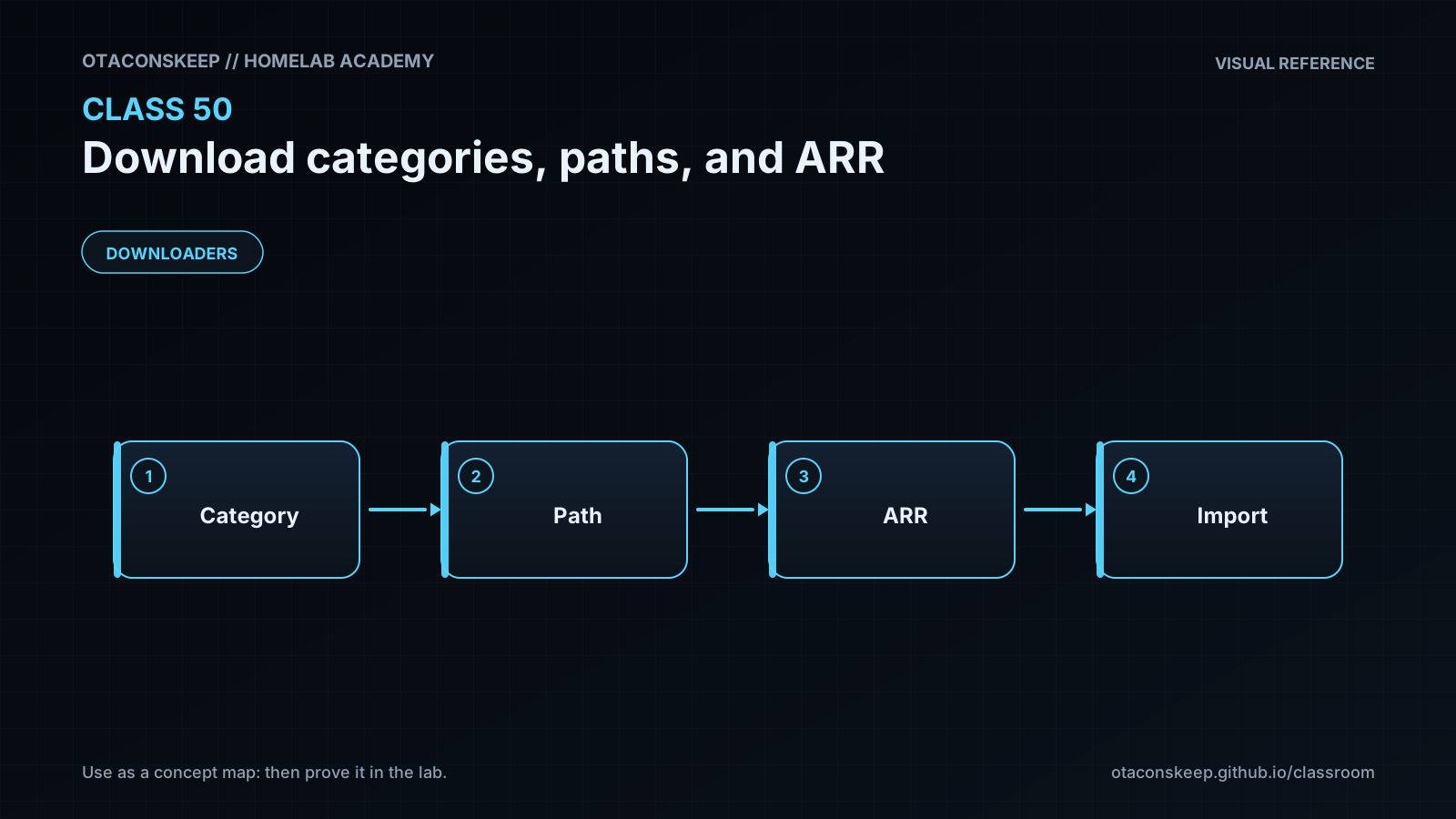
Overview
Module: Download Clients & Indexers
Activity type: Lab (Practice)
Lab risk: low
Objective: Explain how an ARR application assigns a download category when submitting a job to a download client.
Before you start
- Basic familiarity with Sonarr or Radarr terminology.
- Basic command-line navigation and file inspection skills.
- An understanding of files, directories, mounts, and absolute paths.
- Permission to create files beneath /opt/lab-classroom/class50/.
- No running download client or ARR application is required because the lab uses isolated mock configuration files.
Guided lab
scope
This simulation creates mock downloader and ARR configuration files, a sample completed download, and a hardlinked library import. Every created or modified object remains beneath /opt/lab-classroom/class50/.
steps
step
1
title
Create the isolated classroom layout
command
mkdir -p /opt/lab-classroom/class50/active/config /opt/lab-classroom/class50/active/data/downloads/incomplete /opt/lab-classroom/class50/active/data/downloads/complete/tv /opt/lab-classroom/class50/active/data/downloads/complete/movies /opt/lab-classroom/class50/active/data/media/tv/DemoSeries/Season-01 /opt/lab-classroom/class50/active/data/media/movies
explanation
The active directory acts as the complete lab environment. Downloads and media share the active/data parent while remaining operationally separate.
step
2
title
Create a mock download-client configuration
command
printf '%s\n' '{' ' "name": "mock-downloader",' ' "default_incomplete_path": "/opt/lab-classroom/class50/active/data/downloads/incomplete",' ' "categories": {' ' "tv": "/opt/lab-classroom/class50/active/data/downloads/complete/tv",' ' "movies": "/opt/lab-classroom/class50/active/data/downloads/complete/movies"' ' }' '}' > /opt/lab-classroom/class50/active/config/downloader.json
explanation
The tv and movies categories route completed data to distinct staging directories.
step
3
title
Create a mock Sonarr integration configuration
command
printf '%s\n' '{' ' "application": "Sonarr",' ' "download_client_host": "mock-downloader",' ' "category": "tv",' ' "completed_download_handling": true,' ' "reported_download_path": "/opt/lab-classroom/class50/active/data/downloads/complete/tv",' ' "library_root": "/opt/lab-classroom/class50/active/data/media/tv",' ' "remote_path_mappings": []' '}' > /opt/lab-classroom/class50/active/config/sonarr.json
explanation
No remote path mapping is present because the mock downloader and Sonarr configuration use the same absolute path.
step
4
title
Validate category and path separation
command
python3 - <<'PY'
import json
from pathlib import Path
base = Path('/opt/lab-classroom/class50/active/config')
downloader = json.loads((base / 'downloader.json').read_text())
sonarr = json.loads((base / 'sonarr.json').read_text())
category = sonarr['category']
reported = sonarr['reported_download_path']
library = sonarr['library_root']
assert category in downloader['categories'], 'ARR category is absent from downloader configuration'
assert downloader['categories'][category] == reported, 'Category path and reported path disagree'
assert reported != library, 'Download path and library root must be separate'
assert sonarr['completed_download_handling'] is True, 'Completed Download Handling is disabled'
assert sonarr['remote_path_mappings'] == [], 'A mapping is unnecessary in this shared namespace'
print('Category match: PASS')
print('Shared path namespace: PASS')
print('Download/library separation: PASS')
print('Unnecessary mapping absent: PASS')
PY
explanation
The validator checks the relationships among the category, completed path, library root, and mapping list.
step
5
title
Create a simulated completed download
command
printf '%s\n' 'Class 50 simulated media payload' > /opt/lab-classroom/class50/active/data/downloads/complete/tv/DemoSeries.S01E01.mkv
explanation
The file is harmless text with a media-style filename. It represents a completed downloader payload.
step
6
title
Simulate a hardlink import
command
ln /opt/lab-classroom/class50/active/data/downloads/complete/tv/DemoSeries.S01E01.mkv /opt/lab-classroom/class50/active/data/media/tv/DemoSeries/Season-01/DemoSeries-S01E01.mkv
explanation
The library receives an organized name while the downloader path remains available. The two names reference one underlying file.
step
7
title
Verify the import relationship
command
stat -c '%d:%i %h %n' /opt/lab-classroom/class50/active/data/downloads/complete/tv/DemoSeries.S01E01.mkv /opt/lab-classroom/class50/active/data/media/tv/DemoSeries/Season-01/DemoSeries-S01E01.mkv
explanation
Matching device and inode values prove that the entries are hardlinks. A link count of two confirms that two names reference the file.
step
8
title
Inspect the completed classroom tree
command
find /opt/lab-classroom/class50/active -maxdepth 8 -print
explanation
The output should show separate configuration, download, and library locations under the single permitted lab root.
Expected results
- The downloader configuration contains separate tv and movies categories.
- The Sonarr category is tv and matches a category defined by the downloader.
- The mock completed-download path differs from the Sonarr library root.
- The validator prints four PASS lines and exits without an assertion error.
- The simulated source file remains in the completed tv directory.
- The organized library filename appears beneath data/media/tv/DemoSeries/Season-01.
- The source and library entries have matching device and inode values and each reports a link count of two.
- No remote path mapping is configured because both mock applications use the same path namespace.
Verification
- [ ] Run: python3 -m json.tool /opt/lab-classroom/class50/active/config/downloader.json
- [ ] Run: python3 -m json.tool /opt/lab-classroom/class50/active/config/sonarr.json
- [ ] Run: find /opt/lab-classroom/class50/active/data/downloads/complete -type f -print
- [ ] Run: find /opt/lab-classroom/class50/active/data/media -type f -print
- [ ] Run: stat -c '%d:%i %h %n' /opt/lab-classroom/class50/active/data/downloads/complete/tv/DemoSeries.S01E01.mkv /opt/lab-classroom/class50/active/data/media/tv/DemoSeries/Season-01/DemoSeries-S01E01.mkv
- [ ] Confirm that both stat records begin with the same device and inode pair.
- [ ] Confirm that the download source and library destination are separate pathnames.
- [ ] Confirm that every lab artifact is beneath /opt/lab-classroom/class50/.
Break/fix
| Symptom | Likely cause | Fix |
|---|---|---|
| The validator reports that the ARR category is absent from the downloader configuration. | The category configured in Sonarr does not exactly match a downloader category. | Make category spelling and case consistent. For this lab, both configurations must use tv. |
| The validator reports that the category path and reported path disagree. | The downloader routes the category to one directory while the mock ARR configuration expects another. | Set the reported path to the exact category destination or correct the downloader category destination. |
| The hardlink command reports that the destination already exists. | The import step was run more than once in the same active lab directory. | Use the rollback procedure to archive the active directory, then rerun the lab from step 1. |
| The hardlink command reports an invalid cross-device link. | The source and destination resolve to different filesystems. | Place downloads and media on one filesystem when hardlinks are required, or accept a copy-based import. In the prescribed lab layout, both locations should be under the same active/data tree. |
| A real ARR application reports that the completed path does not exist. | ARR cannot see the path reported by the download client, often because container mounts or path namespaces differ. | First align the storage mounts and internal paths. If the different path names are intentional and point to the same storage, add a host-specific remote path mapping. |
| ARR can see a completed file but cannot import it. | The ARR service identity lacks read access to the download or write access to the library. | Align service users and groups, directory ownership, and inherited permissions according to the platform. Avoid granting unrestricted access as a shortcut. |
| A torrent import consumes approximately another file's worth of allocated storage. | ARR copied the file instead of creating a hardlink, often because the locations are on different filesystems or are exposed as unrelated mounts. | Check ARR logs, compare filesystem device identifiers, and redesign mounts so downloads and media share a common storage parent if hardlinking is desired. |
| Files appear directly in the final library before ARR imports them. | The downloader's category destination was incorrectly set to the ARR library root. | Restore a dedicated download staging directory and keep the library root exclusively under ARR management. |
| The configuration file cannot be parsed as JSON. | A command was copied incompletely or the file was manually edited with invalid punctuation. | Archive the active lab using the rollback procedure and recreate the configuration from the documented steps. |
Security
Grant the downloader write access only to its download workspace and any directories specifically required by its operation.
Grant Sonarr or Radarr read access to completed downloads and write access to their intended library roots.
Use a shared service group or equivalent access-control design instead of broad world-writable permissions.
Do not expose downloader or ARR administrative interfaces directly to untrusted networks.
Store downloader credentials and API keys in protected application secrets rather than lesson files or public configuration repositories.
Treat downloaded content as untrusted input. ARR import automation does not establish that a file is safe.
Keep download staging directories separate from media libraries so incomplete and unmanaged files are not served accidentally.
A remote path mapping is not an access-control feature and cannot compensate for missing mounts or insufficient permissions.
Review service logs for paths and filenames that may reveal private library information before sharing diagnostics.
Rollback
goal
Deactivate the lab without deleting its evidence and without changing anything outside the permitted class directory.
commands
mkdir -p /opt/lab-classroom/class50/rollback-state
mv /opt/lab-classroom/class50/active /opt/lab-classroom/class50/rollback-state/active-class50
result
The active lab path is removed from service by moving it into a retained rollback-state directory. All artifacts remain available for review beneath /opt/lab-classroom/class50/.
rerun_note
After rollback, step 1 can create a new active directory. If active-class50 already exists in rollback-state, rename that retained directory to another unique name within /opt/lab-classroom/class50/ before repeating the rollback.