Overview
Module: Linux Foundations
Activity type: Lab (Practice)
Lab risk: low
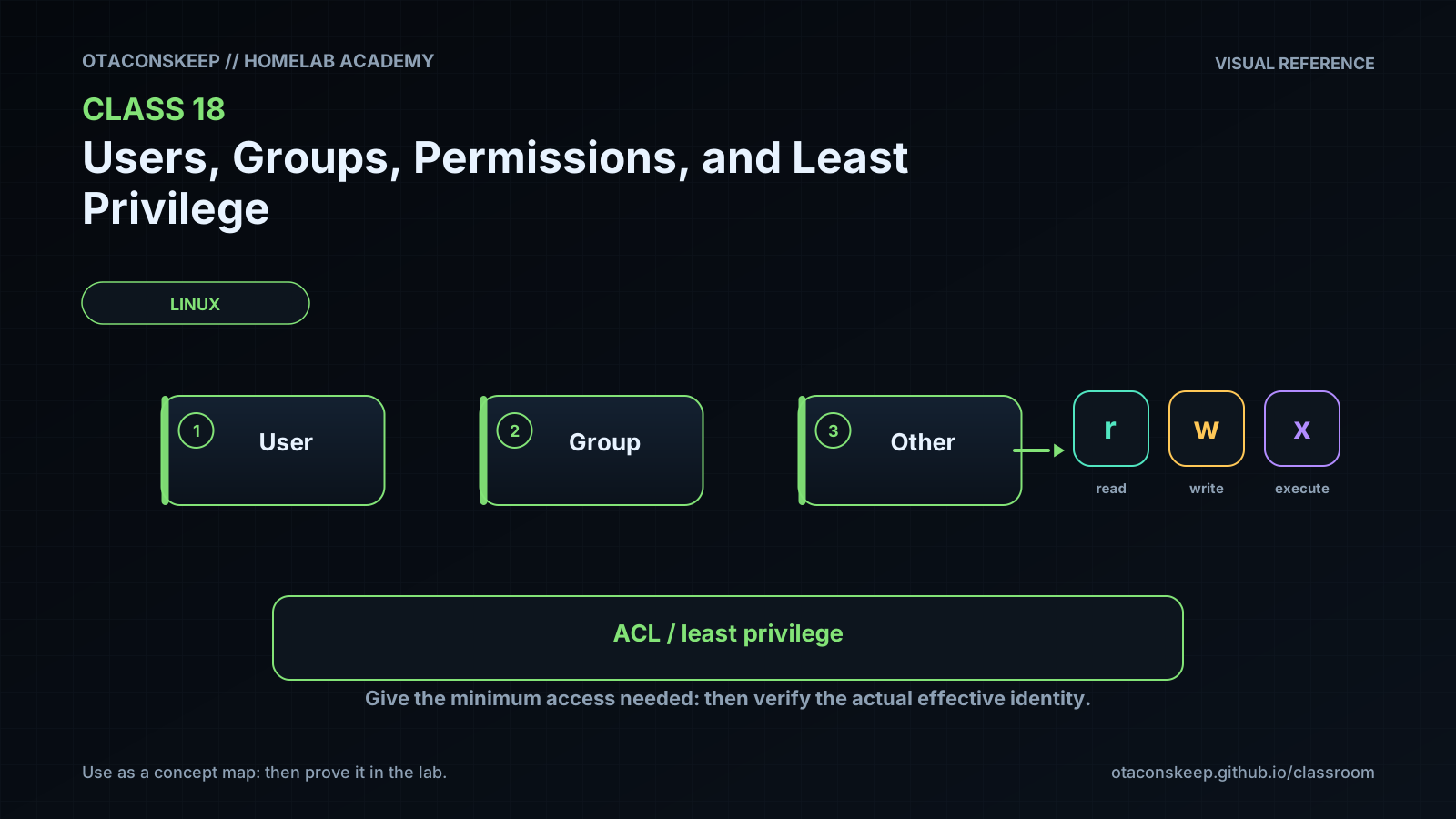
Objective: Explain the difference between a user ID, primary group, supplementary groups, and an account name.
Before you start
- A Linux host or virtual machine with a POSIX-compatible shell.
- The directory /opt/lab-classroom must already exist and permit traversal.
- The student must have sudo authorization for creating the class directory and running a command as an existing unprivileged identity.
- GNU coreutils, findutils, util-linux, getent, and the POSIX ACL utilities getfacl and setfacl must be installed.
- Basic familiarity with shell commands, paths, files, and directories.
Guided lab
name
Build and Audit a Least-Privilege Project Tree
scope_rule
All filesystem mutations must remain within /opt/lab-classroom/class18/. The lab does not create users, create groups, edit account databases, or change any parent directory.
steps
step
1
title
Record the current identity and select an auditor
commands
export ROOT=/opt/lab-classroom/class18
export LAB_USER="$(id -un)"
export LAB_GROUP="$(id -gn)"
export AUDITOR=nobody
printf 'User=%s Group=%s Auditor=%s\n' "$LAB_USER" "$LAB_GROUP" "$AUDITOR"
id
getent passwd "$AUDITOR"
getent group "$LAB_GROUP"
notes
Stop if getent cannot find the auditor. Choose another existing, unprivileged account and export AUDITOR to that account name. Do not use root as the auditor.
step
2
title
Create the isolated class tree
commands
test -d /opt/lab-classroom
test ! -e "$ROOT" || { printf 'Refusing to overwrite existing lab tree: %s\n' "$ROOT" >&2; exit 1; }
sudo install -d -o "$LAB_USER" -g "$LAB_GROUP" -m 0750 "$ROOT"
umask 027
mkdir "$ROOT/project" "$ROOT/secrets"
printf '%s\n' 'Quarterly homelab capacity review' > "$ROOT/project/report.txt"
printf '%s\n' 'TRAINING-DATA-NOT-A-REAL-CREDENTIAL' > "$ROOT/secrets/credentials.txt"
chmod 0750 "$ROOT/project" "$ROOT/secrets"
chmod 0640 "$ROOT/project/report.txt" "$ROOT/secrets/credentials.txt"
notes
The preflight refusal prevents the exercise from overwriting an earlier tree. The umask removes group write and all other-class permissions from newly created objects.
step
3
title
Inspect traditional ownership and permissions
commands
id "$LAB_USER"
stat -c '%A %a %U %G %n' "$ROOT" "$ROOT/project" "$ROOT/project/report.txt" "$ROOT/secrets" "$ROOT/secrets/credentials.txt"
namei -l "$ROOT/project/report.txt"
notes
Confirm that directories are mode 750 and files are mode 640 before adding an ACL.
step
4
title
Grant the auditor one narrow read path
commands
setfacl -m "u:${AUDITOR}:--x" "$ROOT"
setfacl -m "u:${AUDITOR}:--x" "$ROOT/project"
setfacl -m "u:${AUDITOR}:r--" "$ROOT/project/report.txt"
getfacl -p "$ROOT" "$ROOT/project" "$ROOT/project/report.txt"
notes
The auditor receives traversal on two directories and read access to one file. No write permission and no access to the secrets directory are granted.
step
5
title
Test allowed and denied operations
commands
sudo -u "$AUDITOR" -- cat "$ROOT/project/report.txt"
if sudo -u "$AUDITOR" -- sh -c 'printf "%s\n" changed >> "$1"' sh "$ROOT/project/report.txt"; then
printf '%s\n' 'ERROR: auditor unexpectedly wrote the report' >&2
exit 1
else
printf '%s\n' 'PASS: auditor write was denied'
fi
if sudo -u "$AUDITOR" -- cat "$ROOT/secrets/credentials.txt"; then
printf '%s\n' 'ERROR: auditor unexpectedly read the secret' >&2
exit 1
else
printf '%s\n' 'PASS: auditor secret access was denied'
fi
notes
An expected denial is a successful security test. The synthetic secret is not a real credential.
step
6
title
Review the final authorization state
commands
stat -c '%A %a %U %G %n' "$ROOT/project/report.txt" "$ROOT/secrets/credentials.txt"
getfacl -p "$ROOT/project/report.txt" "$ROOT/secrets/credentials.txt"
namei -l "$ROOT/secrets/credentials.txt"
notes
Look for the named auditor entry on report.txt, verify that it is bounded by the ACL mask, and verify that the secrets path has no equivalent grant.
Expected results
- id reports the student's UID, primary GID, and supplementary groups without modifying identity data.
- The class root, project directory, and secrets directory have numeric mode 750 before considering ACL display markers.
- The two regular files have numeric mode 640.
- getfacl shows the auditor with execute-only traversal on the class root and project directory.
- getfacl shows the auditor with read-only access to project/report.txt.
- The auditor can print project/report.txt.
- The auditor cannot append to project/report.txt.
- The auditor cannot read secrets/credentials.txt.
- All created or modified filesystem objects are contained within /opt/lab-classroom/class18/.
Verification
- [ ] Run test -d /opt/lab-classroom/class18/project && test -d /opt/lab-classroom/class18/secrets; a zero exit status confirms that both directories exist.
- [ ] Run stat -c '%a %n' /opt/lab-classroom/class18/project /opt/lab-classroom/class18/secrets and confirm that both numeric modes are 750.
- [ ] Run stat -c '%a %n' /opt/lab-classroom/class18/project/report.txt /opt/lab-classroom/class18/secrets/credentials.txt and confirm that both numeric modes are 640.
- [ ] Run getfacl -cp /opt/lab-classroom/class18/project/report.txt and confirm that the selected auditor has a named read-only entry whose effective permissions include read.
- [ ] Run sudo -u "$AUDITOR" -- test -r /opt/lab-classroom/class18/project/report.txt and confirm a zero exit status.
- [ ] Run sudo -u "$AUDITOR" -- test ! -w /opt/lab-classroom/class18/project/report.txt and confirm a zero exit status.
- [ ] Run sudo -u "$AUDITOR" -- test ! -r /opt/lab-classroom/class18/secrets/credentials.txt and confirm a zero exit status.
- [ ] Run find /opt/lab-classroom/class18 -xdev -printf '%M %u %g %p\n' and review every object for unexpected owners, groups, or write permissions.
Break/fix
| Symptom | Likely cause | Fix |
|---|---|---|
| getent passwd nobody returns no result. | The system does not define an account named nobody or uses a different unprivileged account name. | Select an existing non-administrative account with getent passwd, set AUDITOR to that name, and repeat the lab. Do not create an account because that would modify data outside the permitted lab scope. |
| setfacl or getfacl is not found. | The POSIX ACL user-space utilities are not installed. | Install the ACL utilities using the platform's normal package-management process before starting the lab, or ask the lab administrator to provide them. Do not alter the exercise commands to grant broad mode permissions. |
| setfacl reports that the operation is not supported. | The filesystem or mount configuration does not support the required ACL behavior. | Move the entire lab environment to an ACL-capable Linux filesystem while preserving the required /opt/lab-classroom/class18/ path, then recreate the lab tree. |
| The auditor cannot read report.txt even though the file has a named read ACL. | An ancestor directory blocks traversal, the ACL mask removes effective read access, or AUDITOR does not match the tested identity. | Use namei -l on the report path and getfacl on the class root, project directory, and report. Confirm execute-only auditor entries on both lab directories and an effective read entry on the file. |
| The auditor can unexpectedly read the synthetic secret. | A prior ACL, permissive mode, or different auditor group membership grants access. | Inspect every path component with namei -l and getfacl. Confirm directory mode 750, file mode 640, and the absence of named auditor entries on the secrets directory and file. Rebuild the isolated tree if its prior state is uncertain. |
| sudo refuses to run the test command as the auditor. | The student lacks the required sudo policy or the platform restricts target identities. | Ask the lab administrator to perform the identity-switch tests or provide a disposable VM with the required policy. Do not substitute an administrative identity because it may bypass the permissions being tested. |
| A user does not receive newly assigned group access in another environment. | The user's existing process retained the group list established when the session began. | Start a new authenticated session and verify the new process credentials with id. Avoid assuming that editing group membership retroactively changes every running process. |
Security
principles
Use groups for stable role-based collaboration and ACLs for narrow, reviewable exceptions.
Grant traversal only on the directories required to reach an approved object.
Separate public or shareable project data from secret data so that delegation does not expose both.
Test a policy using the actual service or user identity rather than only an administrator.
Verify denied operations as well as permitted operations.
Review ACL masks because a visible ACL entry may have fewer effective permissions than its entry text suggests.
Treat account names as labels and use identity tools to confirm the actual UID and groups.
Remove temporary access after the associated task ends.
scope_controls
The exercise never creates or deletes operating-system users or groups. All writes, ownership changes, permission changes, ACL changes, and cleanup operations are restricted to /opt/lab-classroom/class18/.
data_classification
The credentials file contains explicitly synthetic training text. Real secrets must not be placed in the lab tree.
audit_guidance
Record who owns each object, which groups are involved, all named ACL entries, the ACL mask, the business reason for each grant, and whether expected denials were verified.
Rollback
goal
Remove only the isolated class tree after confirming that no required data is stored there.
commands
export ROOT=/opt/lab-classroom/class18
test "$ROOT" = /opt/lab-classroom/class18
sudo find "$ROOT" -xdev -depth -delete
test ! -e "$ROOT"
notes
The deletion is irreversible for the synthetic lab files. The fixed-path equality check and filesystem boundary option reduce the risk of deleting an unintended location. Re-running the lab recreates the training data.