Overview
Module: Module 8: Docker, Storage & Permissions
Activity type: Lesson (Orient → Recall → Learn → Explain → Reflect)
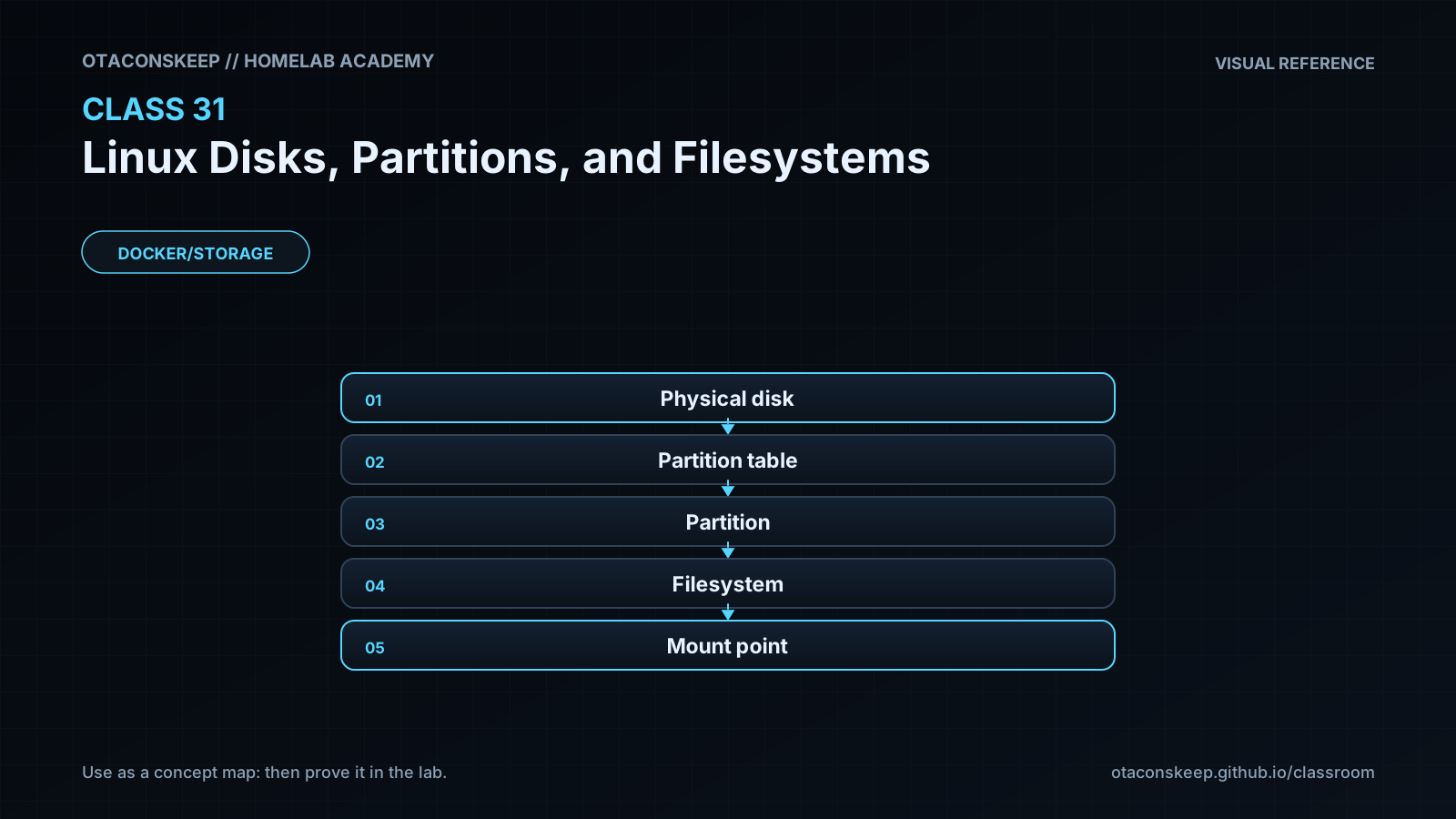
Learning objective: Trace the hierarchy from physical or virtual disk to partition table, partition, filesystem, and mountpoint; interpret lsblk, blkid, findmnt, and df; create a filesystem only inside a regular lab image file; and recognize destructive storage operations before running them.
Learning objective
Trace the hierarchy from physical or virtual disk to partition table, partition, filesystem, and mountpoint; interpret lsblk, blkid, findmnt, and df; create a filesystem only inside a regular lab image file; and recognize destructive storage operations before running them.
Why this matters
Storage commands often succeed immediately and destroy evidence just as quickly. Confusing a disk with a partition, a filesystem with a mountpoint, or free space with disk health can erase data or hide the real problem. A homelab operator must identify the exact layer before changing it.
Prior-knowledge check
- Is
/mnt/mediaa disk, filesystem, or mountpoint? - What is the difference between
/dev/sdband/dev/sdb1? - Does
dfreport SMART health?
Learn
Complete the module reading first:
Guided practice (We do)
Safe Filesystem Image
Safety and prerequisites
- Requires
truncate,mkfs.ext4, and preferablyblkid/dumpe2fs. - The target must remain exactly
/opt/lab-classroom/class31/academy-c31.img. - Do not substitute any
/dev/*path.
LAB=/opt/lab-classroom/class31
sudo install -d -o "$(id -u)" -g "$(id -g)" "$LAB"
lsblk -o NAME,TYPE,SIZE,FSTYPE,LABEL,UUID,MOUNTPOINTS | tee "$LAB/lsblk-before.txt"
findmnt --real | tee "$LAB/findmnt-before.txt"
df -hT | tee "$LAB/df-before.txt"
truncate -s 128M "$LAB/academy-c31.img"
test -f "$LAB/academy-c31.img" && test ! -b "$LAB/academy-c31.img" || { echo 'REFUSE: target boundary failed'; exit 1; }
mkfs.ext4 -F -L ACADEMY31 "$LAB/academy-c31.img"
file "$LAB/academy-c31.img" | tee "$LAB/file-signature.txt"
blkid "$LAB/academy-c31.img" | tee "$LAB/blkid.txt"
dumpe2fs -h "$LAB/academy-c31.img" 2>/dev/null | sed -n '1,35p' | tee "$LAB/ext4-header.txt"
Verification checkpoints
grep -F 'ext4 filesystem data' "$LAB/file-signature.txt"
grep -F 'LABEL="ACADEMY31"' "$LAB/blkid.txt"
grep -F 'TYPE="ext4"' "$LAB/blkid.txt"
test "$(stat -c %s "$LAB/academy-c31.img")" -eq 134217728 && echo 'PASS: bounded 128 MiB image'
Expected: the regular file contains an ext4 filesystem with label ACADEMY31; no physical block device is modified or mounted.
Feynman teach-back: required
Explain a disk as land, a partition as a surveyed lot, a filesystem as the filing system built on the lot, and a mountpoint as the address where Linux exposes it. Explain where the analogy breaks for LVM, RAID, and network storage.
Answers save in this browser (localStorage). Completing all five fields is part of the mastery unlock.
Reflection
Which storage layer do you most often skip when diagnosing a capacity or reliability problem?