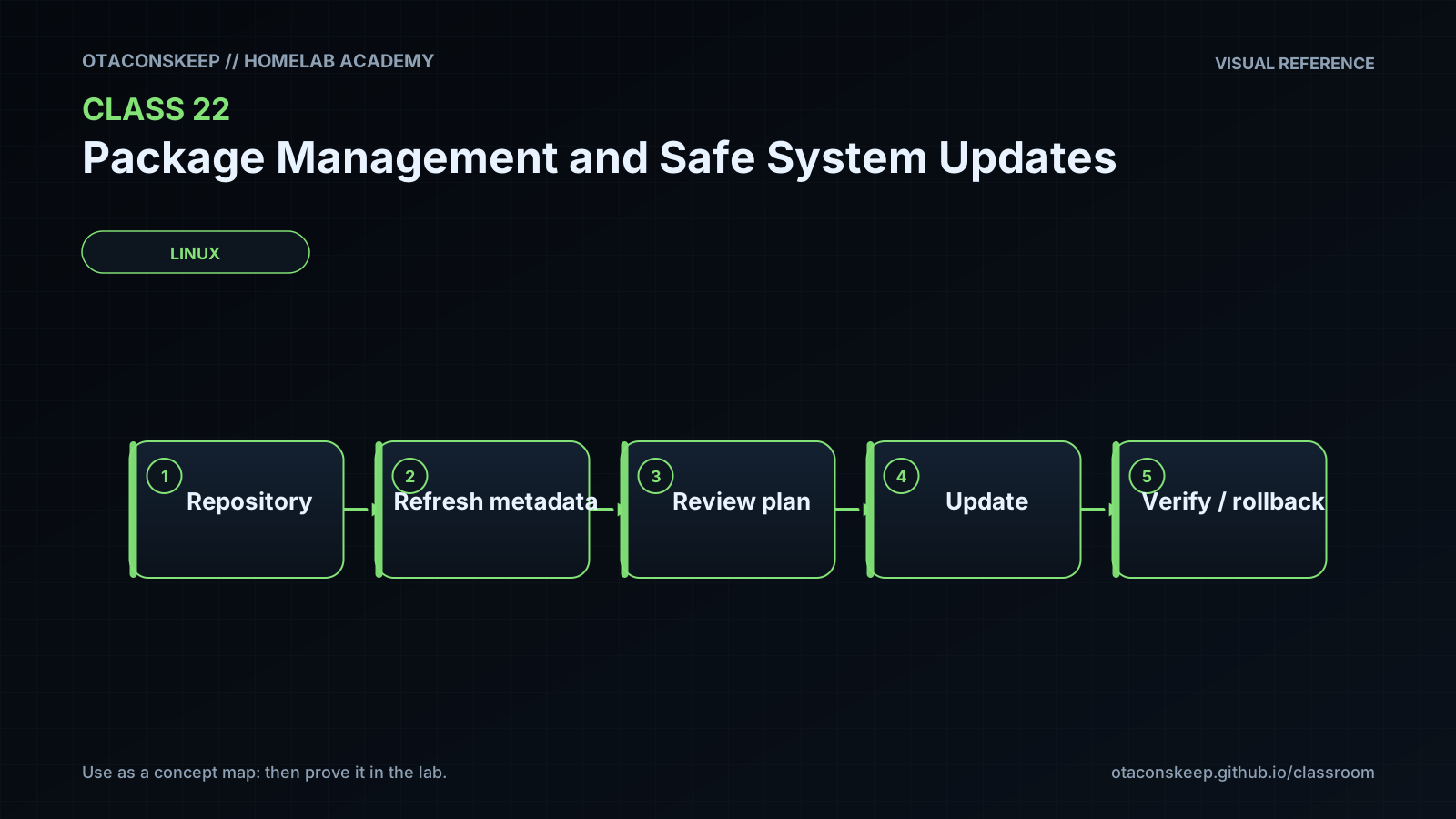
Overview
Module: Network Operations
Activity type: Lab (Practice)
Lab risk: low
Objective: Explain the difference between a package repository, package metadata, dependency resolver, transaction engine, installed-package database, and running services.
Before you start
- Comfort using a Linux shell and reading command output
- Basic understanding of files, directories, processes, services, and repositories
- A Debian, Ubuntu, Fedora, Rocky Linux, AlmaLinux, RHEL-compatible, or Alpine Linux host
- Permission to create /opt/lab-classroom/class22/
- At least one supported package manager: APT, DNF, YUM, or APK
- No real package installation, removal, or upgrade is required
Guided lab
name
Build and review a read-only package update plan
scope_rule
Commands may read operating-system package state, but every artifact created or changed by the lab must remain under /opt/lab-classroom/class22/. No package transaction is applied.
steps
step
1
title
Create the isolated workspace
commands
ROOT=/opt/lab-classroom/class22
mkdir -p "$ROOT"
printf 'class_id=22\nworkspace=%s\ncreated_utc=%s\n' "$ROOT" "$(date -u +%Y-%m-%dT%H:%M:%SZ)" > "$ROOT/lab-metadata.txt"
notes
If permission to create the directory is unavailable, stop and ask the lab administrator to provision it. Do not redirect output elsewhere.
step
2
title
Create a normalized package inventory
commands
ROOT=/opt/lab-classroom/class22
if command -v dpkg-query >/dev/null 2>&1; then dpkg-query -W -f='${binary:Package}\t${Version}\n' | LC_ALL=C sort; elif command -v rpm >/dev/null 2>&1; then rpm -qa --qf '%{NAME}\t%{VERSION}-%{RELEASE}\n' | LC_ALL=C sort; elif command -v apk >/dev/null 2>&1 && test -r /lib/apk/db/installed; then awk -F: '$1=="P"{p=$2} $1=="V"{print p "\t" $2}' /lib/apk/db/installed | LC_ALL=C sort; else printf 'unsupported\tno-supported-package-database\n'; fi > "$ROOT/package-inventory.tsv"
printf 'installed_package_records\t%s\n' "$(wc -l < "$ROOT/package-inventory.tsv")" > "$ROOT/package-count.txt"
notes
The inventory contains exactly two logical fields per record: package name and installed version. The RPM query intentionally avoids EPOCHNUM for compatibility with older RPM implementations. The Alpine parser avoids treating apk info -vv as TSV.
step
3
title
Capture repository and candidate policy
commands
ROOT=/opt/lab-classroom/class22
if command -v apt-cache >/dev/null 2>&1; then { printf '%s\n' 'PACKAGE_FAMILY=apt' '=== apt-cache policy ==='; apt-cache policy; }; elif command -v dnf >/dev/null 2>&1; then { printf '%s\n' 'PACKAGE_FAMILY=dnf' '=== enabled repositories ==='; dnf --cacheonly repolist; printf '%s\n' '=== installed packages ==='; dnf --cacheonly list installed; }; elif command -v yum >/dev/null 2>&1; then { printf '%s\n' 'PACKAGE_FAMILY=yum' '=== enabled repositories ==='; yum -C repolist; printf '%s\n' '=== installed packages ==='; yum -C list installed; }; elif command -v apk >/dev/null 2>&1; then { printf '%s\n' 'PACKAGE_FAMILY=apk' '=== configured repositories ==='; cat /etc/apk/repositories 2>&1; printf '%s\n' '=== apk policy ==='; apk policy 2>&1; }; else printf '%s\n' 'PACKAGE_FAMILY=unsupported'; fi > "$ROOT/package-policy.txt" 2>&1
notes
Cache-only options prevent DNF or YUM from refreshing metadata during this evidence collection. Existing cache age must be considered when interpreting results.
step
4
title
Simulate update resolver behavior and retain errors
commands
ROOT=/opt/lab-classroom/class22
if command -v apt-get >/dev/null 2>&1; then { printf '%s\n' 'PACKAGE_FAMILY=apt' '=== conservative resolver: apt-get --simulate upgrade ==='; apt-get --simulate upgrade; conservative_rc=$?; printf 'CONSERVATIVE_EXIT_STATUS=%s\n' "$conservative_rc"; printf '%s\n' '=== full resolver: apt-get --simulate dist-upgrade ==='; apt-get --simulate dist-upgrade; full_rc=$?; printf 'FULL_UPGRADE_EXIT_STATUS=%s\n' "$full_rc"; printf '%s\n' 'REVIEW_NOTE=upgrade refuses dependency solutions that require removing installed packages; dist-upgrade may add or remove packages to complete dependency resolution.'; } > "$ROOT/upgrade-simulation.txt" 2>&1; elif command -v dnf >/dev/null 2>&1; then { printf '%s\n' 'PACKAGE_FAMILY=dnf' '=== non-applying cached upgrade proposal ==='; dnf --cacheonly --assumeno upgrade; rc=$?; printf 'SIMULATION_EXIT_STATUS=%s\n' "$rc"; printf '%s\n' 'REVIEW_NOTE=DNF does not provide the same upgrade versus dist-upgrade pair used by APT; review every proposed install, upgrade, replacement, and removal.'; } > "$ROOT/upgrade-simulation.txt" 2>&1; elif command -v yum >/dev/null 2>&1; then { printf '%s\n' 'PACKAGE_FAMILY=yum' '=== non-applying cached update proposal ==='; yum -C --assumeno update; rc=$?; printf 'SIMULATION_EXIT_STATUS=%s\n' "$rc"; } > "$ROOT/upgrade-simulation.txt" 2>&1; elif command -v apk >/dev/null 2>&1; then { printf '%s\n' 'PACKAGE_FAMILY=apk' '=== simulated upgrade ==='; apk upgrade --simulate; rc=$?; printf 'SIMULATION_EXIT_STATUS=%s\n' "$rc"; } > "$ROOT/upgrade-simulation.txt" 2>&1; else printf '%s\n' 'PACKAGE_FAMILY=unsupported' 'SIMULATION_EXIT_STATUS=127' > "$ROOT/upgrade-simulation.txt"; fi
notes
Do not use privilege elevation to force the preview. Both standard output and standard error are captured. A nonzero status, lock error, privilege error, or metadata error means the plan was not successfully produced. On APT, compare the conservative and full resolver sections explicitly.
step
5
title
Create a planning-only batch report
commands
ROOT=/opt/lab-classroom/class22
awk 'BEGIN{print "PLANNING_ONLY: no packages are changed by this report"; print "batch\tpackage\tsimulated_action"; n=0} /^Inst /{p=$2; a="upgrade-or-install"; if(p ~ /^(linux-|grub|shim|systemd-boot|kernel)/) b="1-boot-kernel"; else if(p ~ /^(libc|glibc|musl|openssl|libssl|dpkg|apt|rpm|dnf|apk|systemd)/) b="2-core-platform"; else if(p ~ /^(openssh|nginx|apache|httpd|postgresql|mysql|mariadb|docker|containerd|podman|libvirt|qemu)/) b="3-services"; else b="4-applications-other"; print b "\t" p "\t" a; n++} /^Remv /{print "REVIEW-REMOVAL\t" $2 "\tremove"; n++} END{if(n==0) print "none\tno-parsed-apt-actions\treview-raw-simulation"}' "$ROOT/upgrade-simulation.txt" > "$ROOT/update-batch-plan.tsv"
notes
This parser recognizes common APT simulation lines. Other package families will receive a review marker and must be grouped manually from the raw simulation. The report is not an instruction to apply these groups independently; dependency constraints and supported intermediate states must be reviewed first.
step
6
title
Write the maintenance review checklist
commands
ROOT=/opt/lab-classroom/class22
printf '%s\n' 'SAFE UPDATE REVIEW CHECKLIST' '[ ] Simulation completed with a reviewed zero or documented package-manager status.' '[ ] Standard error was reviewed; an empty plan was not inferred from a lock or privilege failure.' '[ ] APT upgrade and dist-upgrade outputs were compared when APT is present.' '[ ] Every proposed removal or replacement has an explanation.' '[ ] Held, pinned, excluded, or retained packages were reviewed.' '[ ] Kernel, bootloader, core library, storage, remote-access, database, virtualization, and container changes were identified.' '[ ] Configuration-file prompts and package script effects were considered.' '[ ] Sufficient disk space and package cache space will be checked before a real transaction.' '[ ] Backups or snapshots were verified by an appropriate restore test.' '[ ] Console or out-of-band access is available if network service is disrupted.' '[ ] Application health checks, service checks, and reboot validation are defined.' '[ ] Stop conditions, maintenance owner, approval, and recovery decision authority are documented.' '[ ] This lab did not apply any package changes.' > "$ROOT/maintenance-checklist.txt"
notes
The checklist is evidence for a future maintenance decision, not proof that the host is ready to update.
step
7
title
Declare artifact paths and assert workspace confinement
commands
ROOT=/opt/lab-classroom/class22
printf '%s\n' "$ROOT/lab-metadata.txt" "$ROOT/package-inventory.tsv" "$ROOT/package-count.txt" "$ROOT/package-policy.txt" "$ROOT/upgrade-simulation.txt" "$ROOT/update-batch-plan.tsv" "$ROOT/maintenance-checklist.txt" "$ROOT/artifact-paths.txt" "$ROOT/SHA256SUMS" "$ROOT/hash-verification.txt" > "$ROOT/artifact-paths.txt"
path_rc=0; while IFS= read -r p; do case "$p" in /opt/lab-classroom/class22/) : ;; ) printf 'OUTSIDE_WORKSPACE=%s\n' "$p"; path_rc=1 ;; esac; done < "$ROOT/artifact-paths.txt"; printf 'PATH_ASSERTION_EXIT_STATUS=%s\n' "$path_rc" >> "$ROOT/lab-metadata.txt"; test "$path_rc" -eq 0
notes
The assertion checks every declared artifact path. The supplied lab commands contain no output redirection to any other location.
step
8
title
Hash the evidence safely and verify it
commands
ROOT=/opt/lab-classroom/class22
bash -c 'ROOT=/opt/lab-classroom/class22; : > "$ROOT/SHA256SUMS"; while IFS= read -r -d "" f; do sha256sum "$f" >> "$ROOT/SHA256SUMS"; done < <(find "$ROOT" -maxdepth 1 -type f ! -name SHA256SUMS ! -name hash-verification.txt -print0 | sort -z)'
sha256sum -c "$ROOT/SHA256SUMS" > "$ROOT/hash-verification.txt" 2>&1
notes
The null-delimited loop invokes sha256sum once per discovered file and remains safe if the report set is empty or partial. SHA256SUMS and hash-verification.txt are excluded to avoid self-referential checksums.
step
9
title
Review rather than apply
commands
ROOT=/opt/lab-classroom/class22
sed -n '1,240p' "$ROOT/upgrade-simulation.txt"
sed -n '1,240p' "$ROOT/update-batch-plan.tsv"
cat "$ROOT/maintenance-checklist.txt"
cat "$ROOT/hash-verification.txt"
notes
Stop after review. Do not transform a simulated command into a real upgrade as part of this class.
Expected results
- /opt/lab-classroom/class22/package-inventory.tsv exists, is non-empty, and contains normalized package-name and installed-version records.
- /opt/lab-classroom/class22/package-count.txt exists, is non-empty, and records the number of inventory rows.
- /opt/lab-classroom/class22/package-policy.txt exists, is non-empty, and identifies the detected package family plus repository or policy information.
- /opt/lab-classroom/class22/upgrade-simulation.txt exists, is non-empty, includes captured errors, and records one or more simulation exit statuses.
- On an APT host, upgrade-simulation.txt contains both the conservative upgrade simulation and the dist-upgrade simulation, together with an explicit explanation of their resolver difference.
- /opt/lab-classroom/class22/update-batch-plan.tsv exists and contains planning-only categories or a marker directing the administrator to review the raw simulation.
- /opt/lab-classroom/class22/maintenance-checklist.txt exists, is non-empty, and contains pre-update, validation, and recovery review items.
- /opt/lab-classroom/class22/artifact-paths.txt declares only paths beneath /opt/lab-classroom/class22/.
- /opt/lab-classroom/class22/SHA256SUMS exists and is non-empty after report generation.
- /opt/lab-classroom/class22/hash-verification.txt exists, is non-empty, and reports successful verification unless an artifact changed after hashing.
- No package is installed, upgraded, downgraded, or removed by the lab.
Verification
- [ ] ROOT=/opt/lab-classroom/class22; test -s "$ROOT/package-inventory.tsv" && echo 'PASS: package-inventory.tsv exists and is non-empty' || echo 'FAIL: package-inventory.tsv missing or empty'
- [ ] ROOT=/opt/lab-classroom/class22; test -s "$ROOT/package-count.txt" && grep -Eq '^installed_package_records[[:space:]]+[0-9]+$' "$ROOT/package-count.txt" && echo 'PASS: package-count.txt exists, is non-empty, and has a numeric count' || echo 'FAIL: package-count.txt is missing or malformed'
- [ ] ROOT=/opt/lab-classroom/class22; test -s "$ROOT/package-policy.txt" && grep -q '^PACKAGE_FAMILY=' "$ROOT/package-policy.txt" && echo 'PASS: package-policy.txt exists, is non-empty, and identifies a package family' || echo 'FAIL: package-policy.txt is missing or malformed'
- [ ] ROOT=/opt/lab-classroom/class22; test -s "$ROOT/upgrade-simulation.txt" && grep -Eq '(CONSERVATIVE_EXIT_STATUS|FULL_UPGRADE_EXIT_STATUS|SIMULATION_EXIT_STATUS)=' "$ROOT/upgrade-simulation.txt" && echo 'PASS: upgrade-simulation.txt exists and records command status' || echo 'FAIL: upgrade-simulation.txt is missing or lacks status evidence'
- [ ] ROOT=/opt/lab-classroom/class22; if grep -q '^PACKAGE_FAMILY=apt$' "$ROOT/upgrade-simulation.txt"; then grep -q 'conservative resolver' "$ROOT/upgrade-simulation.txt" && grep -q 'full resolver' "$ROOT/upgrade-simulation.txt" && grep -q 'dist-upgrade may add or remove packages' "$ROOT/upgrade-simulation.txt" && echo 'PASS: both APT resolver modes and their contrast are documented' || echo 'FAIL: APT resolver comparison is incomplete'; else echo 'PASS: APT-specific resolver comparison is not applicable'; fi
- [ ] ROOT=/opt/lab-classroom/class22; test -s "$ROOT/update-batch-plan.tsv" && grep -q '^PLANNING_ONLY:' "$ROOT/update-batch-plan.tsv" && echo 'PASS: planning-only batch report exists' || echo 'FAIL: update-batch-plan.tsv is missing or malformed'
- [ ] ROOT=/opt/lab-classroom/class22; test -s "$ROOT/maintenance-checklist.txt" && grep -q 'SAFE UPDATE REVIEW CHECKLIST' "$ROOT/maintenance-checklist.txt" && echo 'PASS: maintenance-checklist.txt exists and is non-empty' || echo 'FAIL: maintenance-checklist.txt is missing or malformed'
- [ ] ROOT=/opt/lab-classroom/class22; test -s "$ROOT/SHA256SUMS" && echo 'PASS: SHA256SUMS exists and is non-empty' || echo 'FAIL: SHA256SUMS missing or empty'
- [ ] ROOT=/opt/lab-classroom/class22; test -s "$ROOT/hash-verification.txt" && ! grep -q ': FAILED' "$ROOT/hash-verification.txt" && grep -q ': OK' "$ROOT/hash-verification.txt" && echo 'PASS: hash-verification.txt exists and reports successful checks' || echo 'FAIL: hash verification is missing, empty, or reports failure'
- [ ] ROOT=/opt/lab-classroom/class22; path_rc=0; test -s "$ROOT/artifact-paths.txt" || path_rc=1; while IFS= read -r p; do case "$p" in "$ROOT"/) test -e "$p" || path_rc=1 ;; ) path_rc=1 ;; esac; done < "$ROOT/artifact-paths.txt"; test "$path_rc" -eq 0 && echo 'PASS: every declared artifact exists at the required same-path workspace' || echo 'FAIL: a declared artifact is absent or outside /opt/lab-classroom/class22/'
- [ ] ROOT=/opt/lab-classroom/class22; test -s "$ROOT/package-inventory.tsv" && test -s "$ROOT/package-count.txt" && test -s "$ROOT/package-policy.txt" && test -s "$ROOT/upgrade-simulation.txt" && test -s "$ROOT/maintenance-checklist.txt" && test -s "$ROOT/SHA256SUMS" && test -s "$ROOT/hash-verification.txt" && echo 'PASS: all required non-empty artifacts are present' || echo 'FAIL: one or more required artifacts are missing or empty'
Break/fix
| Symptom | Likely cause | Fix |
|---|---|---|
| mkdir reports permission denied for /opt/lab-classroom/class22/. | The student account is not allowed to create directories under /opt. | Stop the lab and ask the lab administrator to pre-create /opt/lab-classroom/class22/ with suitable ownership. Do not redirect artifacts to another directory because the mutation boundary is mandatory. |
| upgrade-simulation.txt reports that the dpkg or APT lock cannot be acquired, reports insufficient privilege, or contains no usable transaction plan. | Another package process owns the lock, the local APT configuration requires privileges even for this operation, or the simulation failed before dependency resolution. | Keep the captured error and recorded nonzero status in upgrade-simulation.txt. Do not elevate and do not treat the result as an empty successful upgrade plan. Identify the legitimate lock owner with read-only process inspection, wait for approved package activity to finish, or repeat the lab during an authorized window. |
| DNF or YUM reports that cached metadata is unavailable. | The lab uses cache-only mode to avoid changing package caches, and the host has no suitable cached repository metadata. | Retain the error and exit status as evidence. Arrange a separately approved metadata-refresh activity outside this lab, then rerun the read-only collection. Do not remove --cacheonly merely to make the output look successful. |
| The conservative APT simulation succeeds, but dist-upgrade proposes removals. | The full resolver found a dependency solution requiring replacement or removal of installed packages. | Review every Remv line, package relationship, repository origin, and replacement package. Do not apply the transaction until each removal is explained and recovery is prepared. |
| package-inventory.tsv contains an unsupported marker. | No supported local package database command or Alpine database was detected. | Confirm that the host uses APT, RPM, or APK and that its local package database is readable. Do not invent inventory data or substitute a software-language package manager. |
| update-batch-plan.tsv contains no-parsed-apt-actions. | The host is not using APT, the APT plan has no Inst or Remv lines, or the simulation failed. | Review upgrade-simulation.txt and its exit statuses first. If another package family is in use, manually classify its proposal while preserving the planning-only rule. |
| sha256sum verification reports FAILED. | A report changed, was deleted, or was replaced after SHA256SUMS was created. | Determine whether the change was expected. If evidence collection was intentionally repeated, regenerate SHA256SUMS and hash-verification.txt using Step 8; otherwise preserve the mismatch for investigation. |
| The path assertion fails. | artifact-paths.txt was edited to include an absent file or a path outside the required workspace. | Do not create the artifact elsewhere. Correct the lab workflow so every declared artifact is created under /opt/lab-classroom/class22/, regenerate the path manifest, and repeat hashing. |
| A simulation lists held-back or retained packages. | A conservative resolver cannot satisfy dependencies without additional actions, or package holds, pins, exclusions, phased deployment, or repository policy prevents selection. | Inspect package policy and package-manager-specific hold or exclusion configuration. Document the reason rather than overriding policy during this lab. |
Security
Use only repositories and signing keys approved for the host; transport encryption does not replace repository signature validation.
Do not convert a simulation command into a real transaction during the lesson.
Do not use privilege elevation simply to suppress a simulation lock or permission error.
Treat third-party repositories as part of the software supply chain and review their ownership, release channel, signing-key lifecycle, and priority.
Preserve captured errors and exit statuses so failed previews cannot be misrepresented as empty successful plans.
Review package maintainer scripts, configuration-file behavior, service restarts, kernel changes, and bootloader changes before a real update.
Ensure backups, snapshots, and restoration procedures protect application data as well as operating-system files.
Use console or out-of-band access for maintenance that could disrupt network, storage, authentication, or remote-access services.
SHA-256 checksums detect later artifact changes but do not authenticate who created the reports.
Avoid exposing package inventories publicly because they can reveal software versions useful to an attacker.
Rollback
lesson_artifact_cleanup
command
ROOT=/opt/lab-classroom/class22; test "$ROOT" = /opt/lab-classroom/class22 && find "$ROOT" -mindepth 1 -maxdepth 1 -type f -delete && rmdir "$ROOT"
effect
Deletes only regular lab artifact files immediately beneath the required class directory and then removes the empty directory.
warning
Review ROOT and list the directory before running cleanup. The cleanup does not reverse package changes because the lab performs none.
future_real_update_recovery_plan
Record the pre-change package inventory, repository policy, running kernel, service state, application health, and storage health.
Verify a restorable backup or snapshot before approving the transaction.
Confirm whether the filesystem, virtual machine platform, and application support crash-consistent or application-consistent snapshots.
Preserve critical configuration and application data separately from package caches.
Define stop conditions such as unexpected removals, repository changes, dependency failures, boot errors, failed service checks, or data migration errors.
Prefer restoring a tested snapshot or rebuilding from known configuration when package downgrade is unsupported.
If version downgrade is considered, first confirm that the exact old package versions remain available and that application data and maintainer scripts support reversal.
Validate networking, storage, authentication, scheduled jobs, services, application transactions, and the active kernel after recovery.